B7. Hold / recall an order🔗
In brief🔗
Holding sets an order aside to serve another customer, then recalling it later. Essential when a customer is still deciding or when several orders overlap.
Who / when🔗
For the Cashier, whenever several orders must be managed in parallel.
Step-by-step🔗
Hold an order🔗
- With the order in progress, tap the Hold widget.
- PosCaisse asks whether preparation should start now:
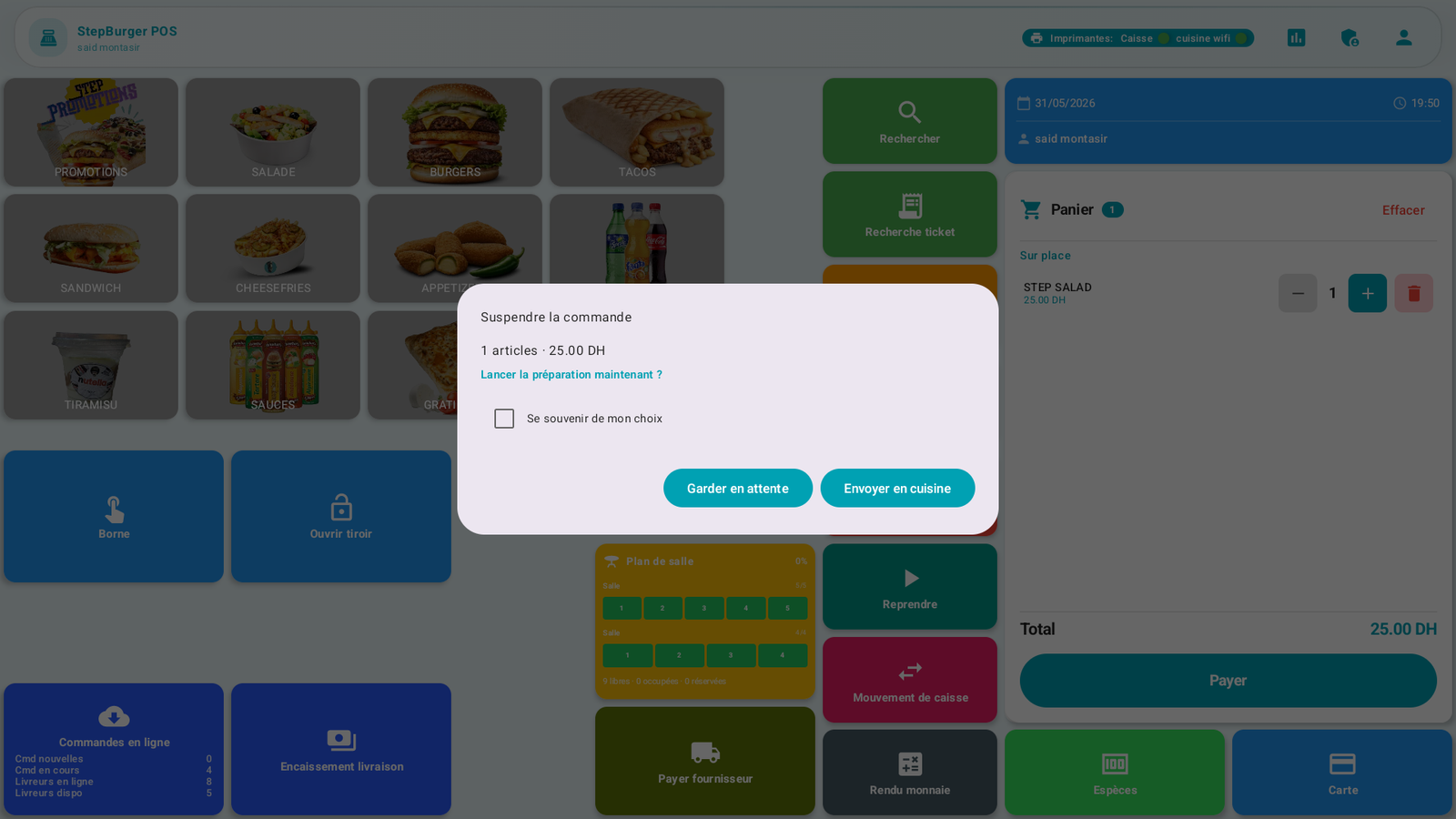
- Keep on hold: the order is set aside without going to the kitchen.
- Send to kitchen: the order is set aside and the ticket goes to preparation.
- Remember my choice saves your preference.
- The cart empties, ready for the next customer.
Recall an order🔗
- Tap the Recall widget.
- The "Orders on hold" list appears:
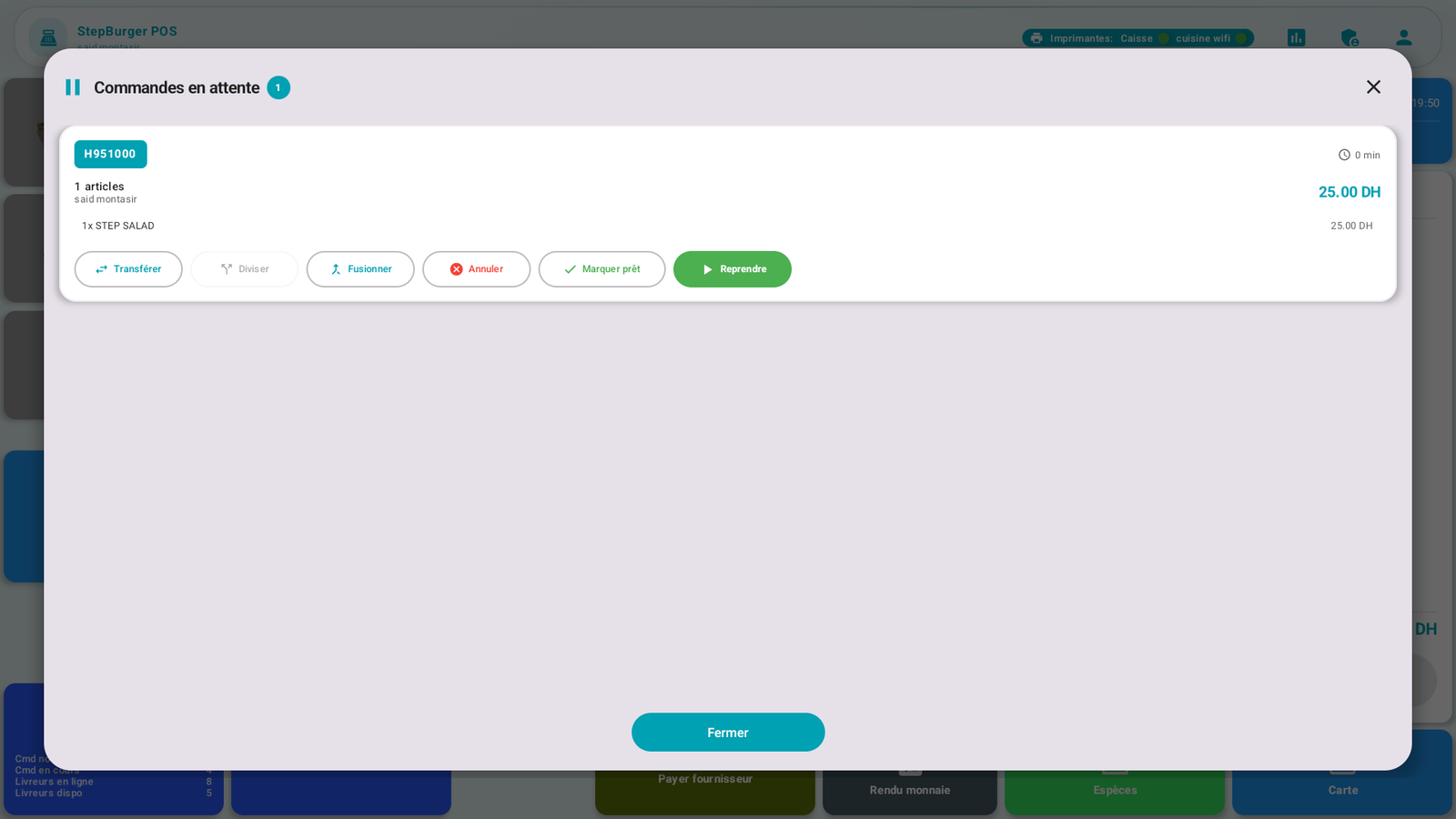
Each order shows its number (e.g. H951000), the waiting time, the number of items, the cashier and the amount. 3. On an order, you can:
| Action | Effect |
|---|---|
| Recall | Brings the order back into the cart to take payment. |
| Transfer | Transfer it (e.g. to a table / another station). |
| Split | Separate the order into several. |
| Merge | Group several orders together. |
| Mark ready | Indicate that it is ready. |
| Cancel | Delete the order on hold. |
Messages & edge cases🔗
- An order sent to the kitchen is already in preparation. If you recall it and add new items, only the new items to prepare should go back to the kitchen at payment.
- The order on hold number (e.g. H951000) makes it easy to find again.
Tips🔗
- During the rush, Keep on hold avoids sending to the kitchen too early; Send to kitchen saves time when the order is firm.
- Use Merge when two customers at the same table want to pay together.