B3. Build an order🔗
In brief🔗
Building an order means adding products to the cart, customizing them if needed (removing an ingredient, choosing a sauce, adding an add-on), then adjusting the quantities.
Who / when🔗
For the Cashier, for every customer.
Step-by-step🔗
1. Choose a category🔗
Tap a category (e.g. BURGERS). Its products appear in a window.
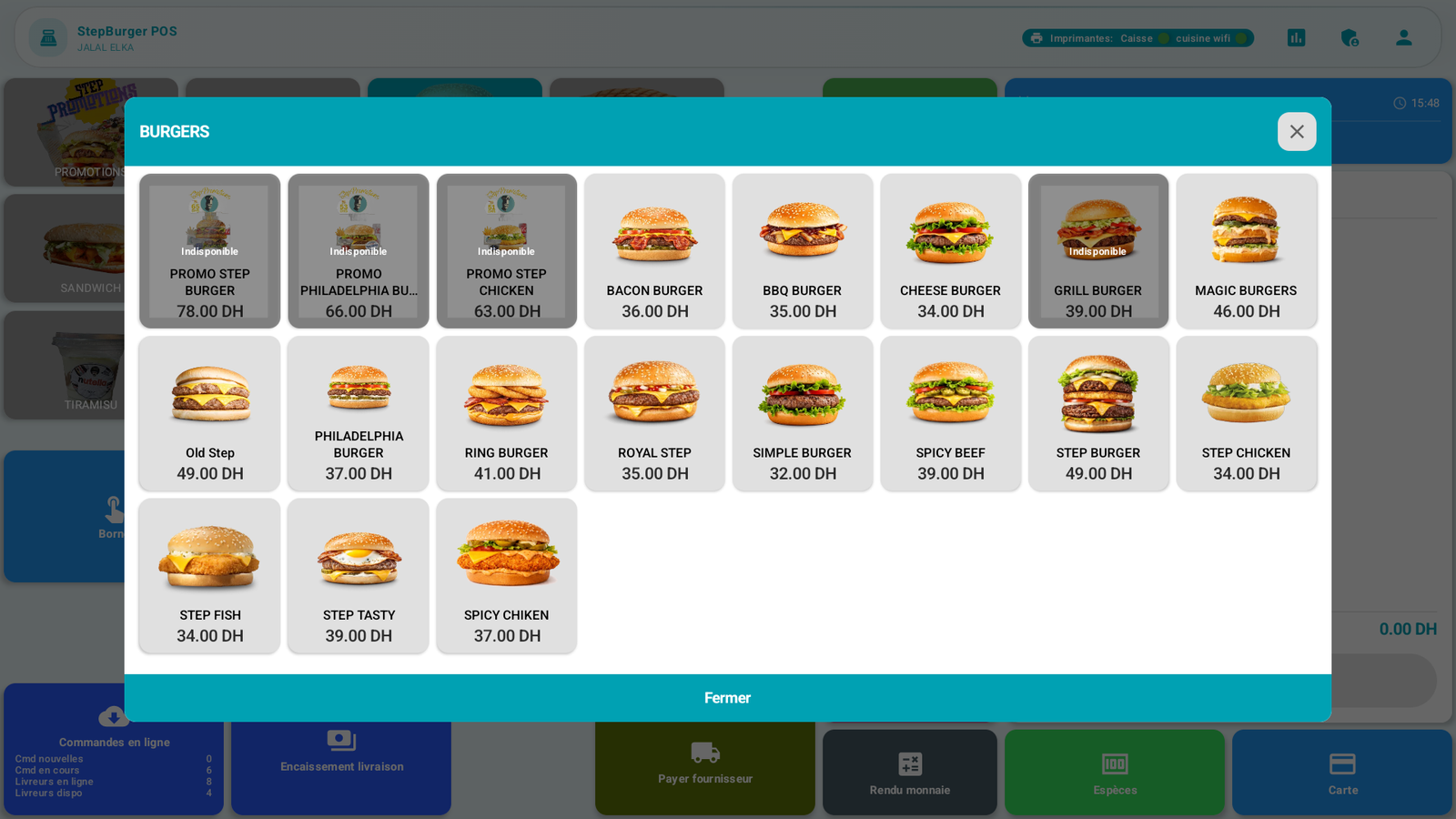
Tap Close to return to the categories without adding anything.
2. Add a product🔗
Tap the desired product (e.g. BACON BURGER).
- If the product has no options, it is added directly to the cart (this is the case of the House salad in our example).
- If it has customizations, a window opens.
3. Customize the product🔗
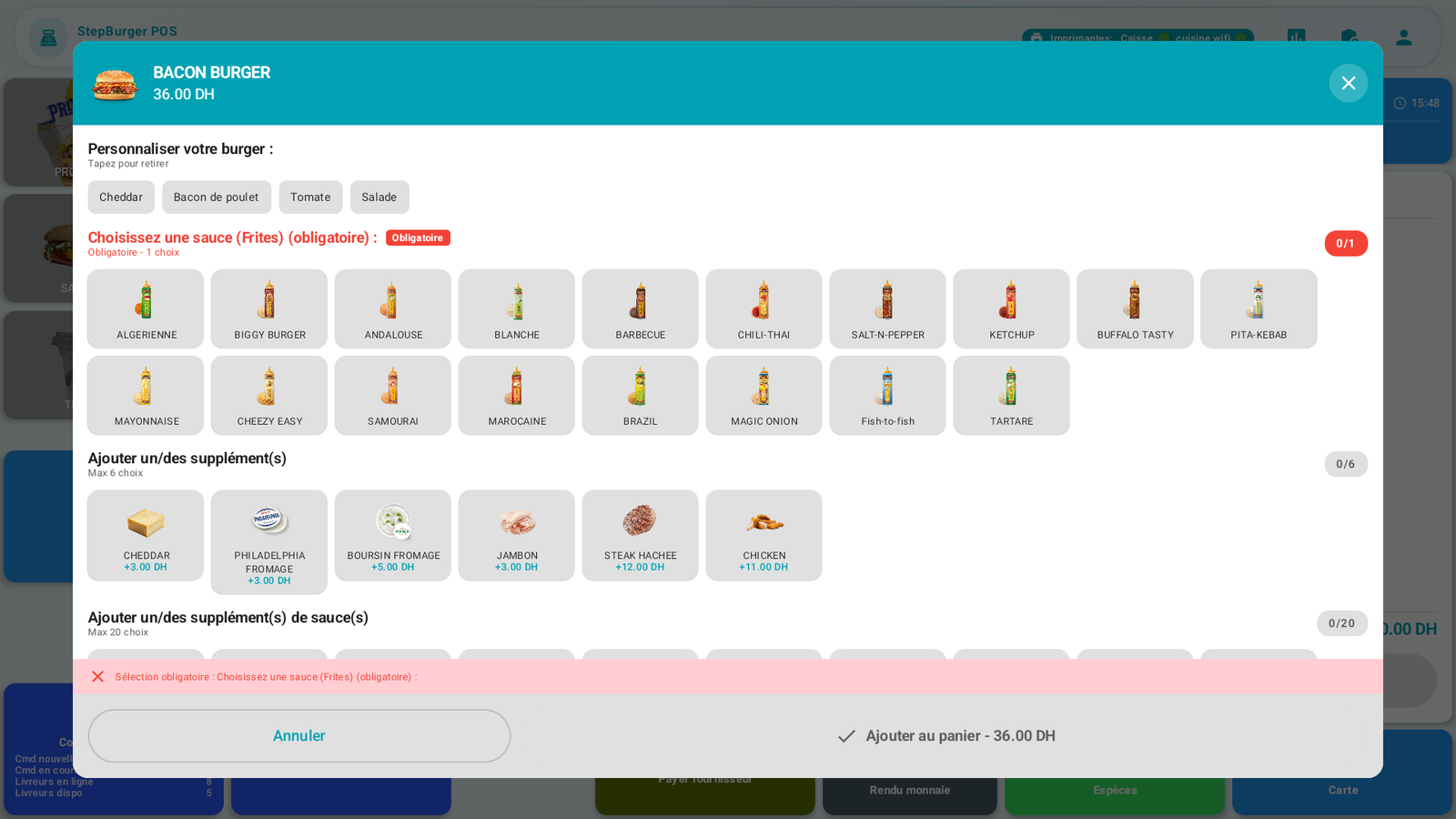
The customization window offers, depending on the product:
- Remove ingredients — "Tap to remove" section (e.g. removing Salad). The removed ingredient then appears struck through / "Without …".
- A mandatory choice — e.g. "Choose a sauce (mandatory)". Until you have chosen, a red message reminds you and the add button stays blocked.
- Paid add-ons — e.g. CHEDDAR +3.00 DH, within the indicated limit (e.g. Max 6 choices).
The price updates live: in the example, adding the CHEDDAR add-on takes the burger from 36 to 39 DH.
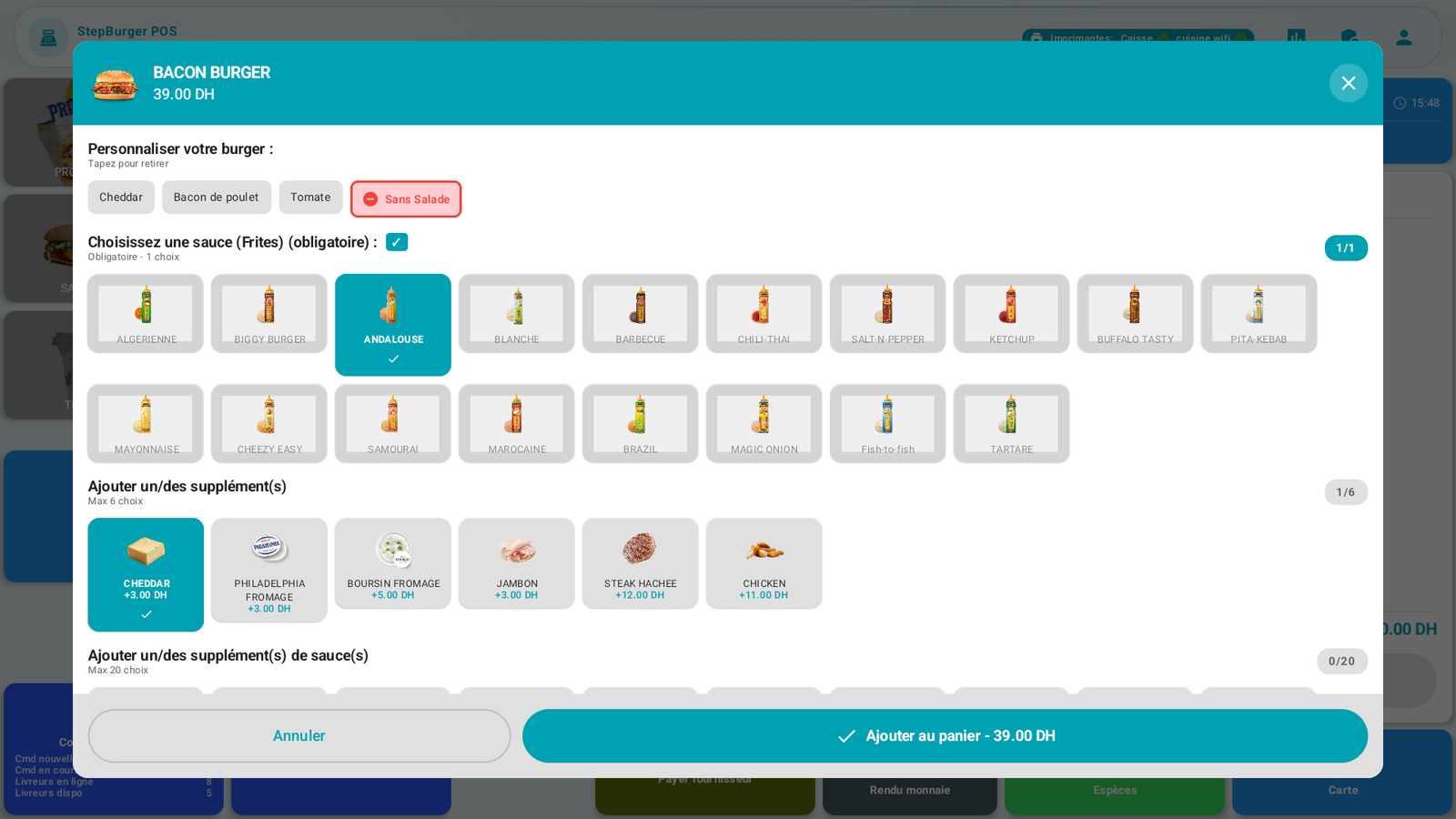
Tap Add to cart (the button displays the final price).
4. Track the cart🔗
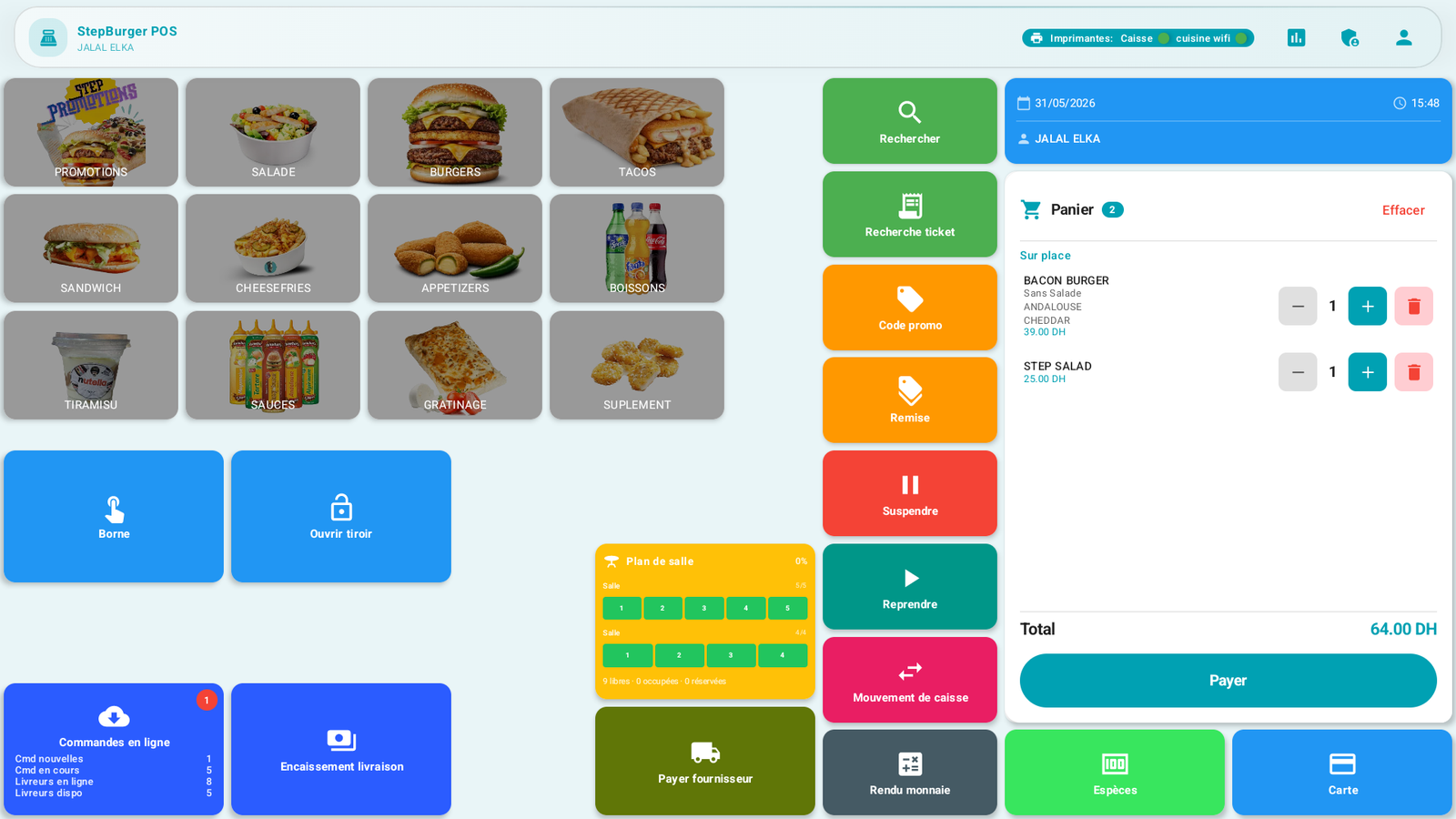
Each cart line shows the product, its customizations (e.g. Without Salad · ANDALOUSE · CHEDDAR), the price and the quantity (with + / −). The Total updates automatically.
- Change the quantity: + / − buttons on the line.
- Remove an item: the trash icon on the line.
- Empty the cart: the Clear button (at the top of the cart).
Messages & edge cases🔗
- "Selection required": you must make a mandatory choice (e.g. the sauce) before you can add the product.
- An unavailable product (out of stock) cannot be added.
Tips🔗
- Customizations chain quickly: start with the removals, then the mandatory choice, then the add-ons.
- Check the summary under each line of the cart before taking payment: this is what will go to the kitchen.
See also🔗
- B4. Dine-in / takeaway · B6. Take payment
- A6. Define customizations (configuration side)