C6. Detailed reports🔗
In brief🔗
The Reports screen centralizes the activity tracking: X report (register), Z closures, transaction history and cash movements. It is the analytical view of the register.
Who / when🔗
For the Admin / the Manager (and the cashier depending on their rights), during and at the end of the day, or to analyze a period.
How to access🔗
Admin → Reports (or the Reports icon at the top of the POS screen).
Requirements🔗
🔑 View X report / View Z report / View cash summary / Print reports
Screen tour🔗
Four tabs:
| Tab | Content |
|---|---|
| Register | The X report (control reading, does not close). |
| Z closures | The list of official closures (immutable NF525 documents). |
| History | The list of transactions (sales, refunds, voids). |
| Movements | The cash ins/outs. |
X report (Register tab)🔗
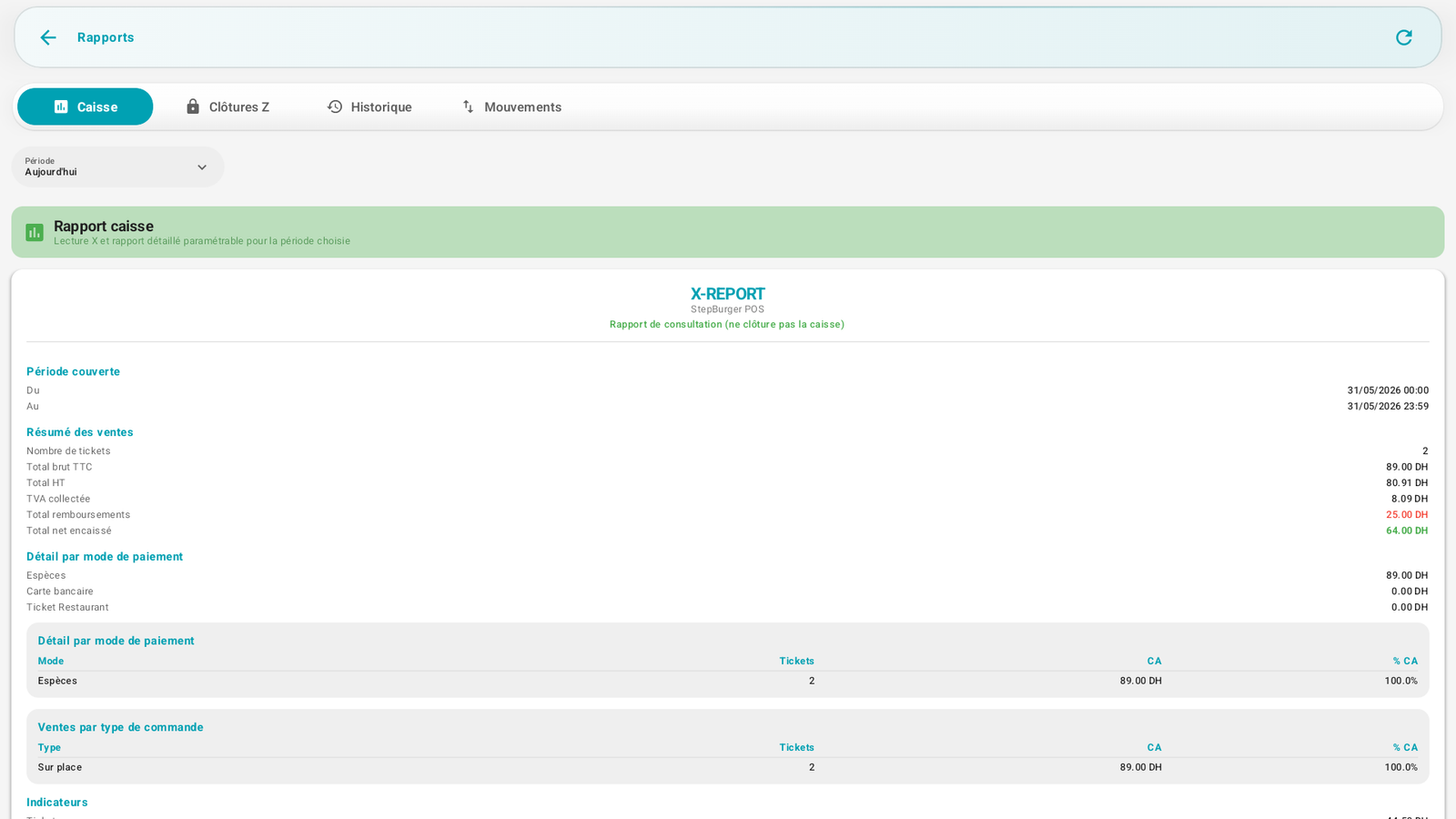
Summary of the period: number of receipts, gross incl. tax, excl. tax, VAT, refunds, net collected, breakdown by payment method and by order type, indicators (average receipt). See X / Z closure.
Z closures🔗
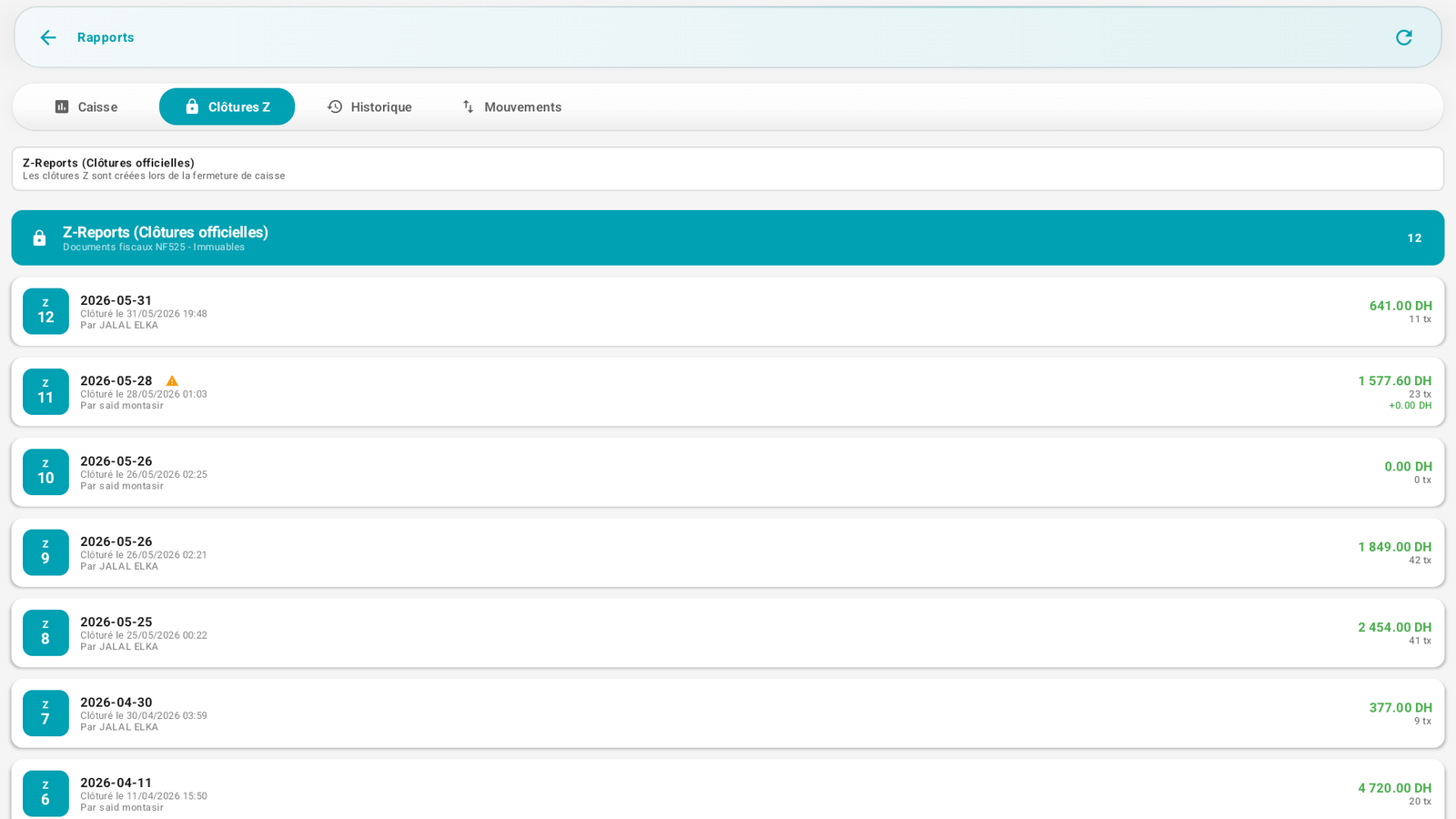
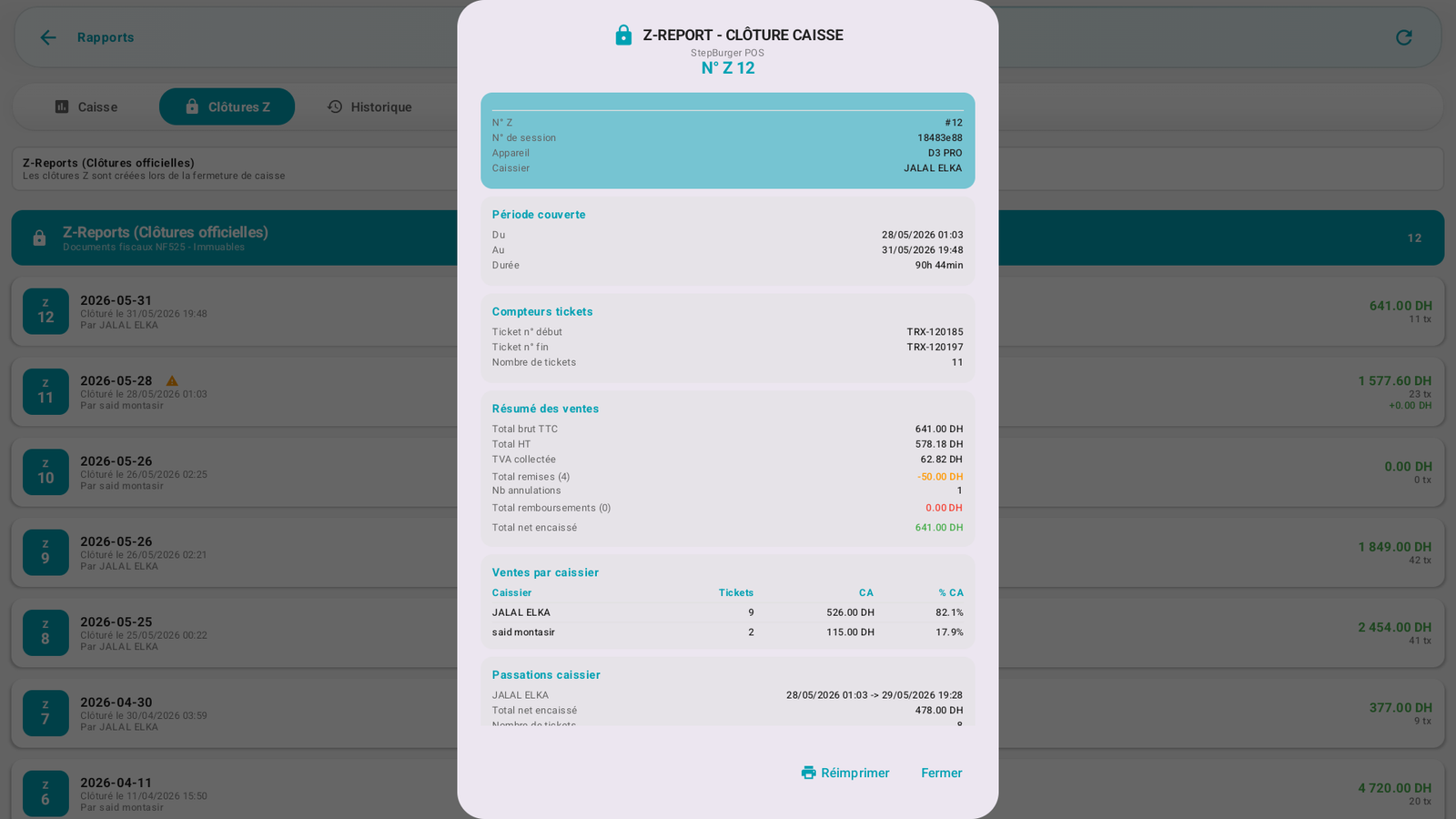
List of past Z reports (no., date, author, revenue, no. of transactions). Opening a Z displays the full document:
History & Movements🔗
- History: search and filters (period, employee, payment method, order type, transaction type). You can open the details of a transaction, reprint it, or void it (with a reason, depending on rights).
- Movements: the history of cash movements (ins/outs).
Filters🔗
A Period selector (today, week, month, custom range) applies to the reports. The History tab adds filters by employee, payment method, order type, etc.
Messages & edge cases🔗
- The X report closes nothing; the Z closure is final (see X / Z closure).
- Refunds and discounts appear distinctly in the totals.
Tips🔗
- Use the custom range to analyze a specific day or week.
- The breakdown by payment method helps control the cash/card split at counting.