B10. Closure: X report and Z closure🔗
In brief🔗
At the end of the shift, two distinct operations:
- X report: a control reading of the day — it closes nothing, you can do it as many times as you want.
- Z closure: the official closure of the register — a final and immutable fiscal document (NF525). It is done only once at closing.
Who / when🔗
For the Cashier or the Manager, during the day (X) and at closing (Z).
Requirements🔗
🔑 View the X report / View the Z report
How to access🔗
POS screen → Reports icon (at the top) → Register (X report) and Z closures tabs.
The X report (control reading)🔗
Register tab:
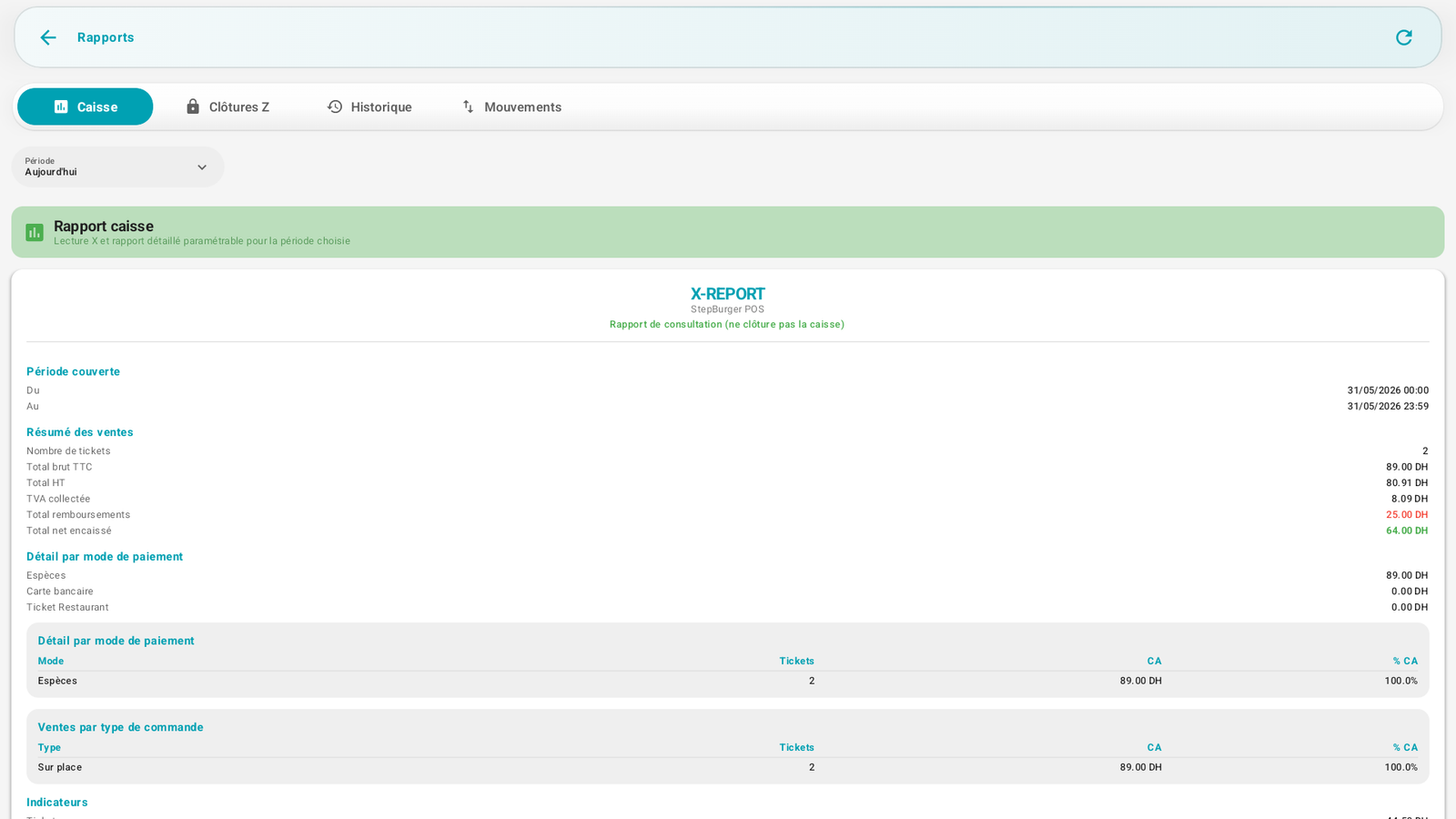
The X-REPORT states "Consultation report (does not close the register)" and summarizes the period:
- Sales summary: number of receipts, gross total incl. tax, total excl. tax, VAT collected, total refunds, net total collected.
- Breakdown by payment method (cash, card, meal voucher) with receipts, revenue and % revenue.
- Sales by order type (dine-in, takeaway…).
- Indicators: average receipt…
What is the X for?
To take stock during the day (e.g. midday handover) without closing. You can view and print it at will.
The Z closure (official)🔗
Z closures tab:
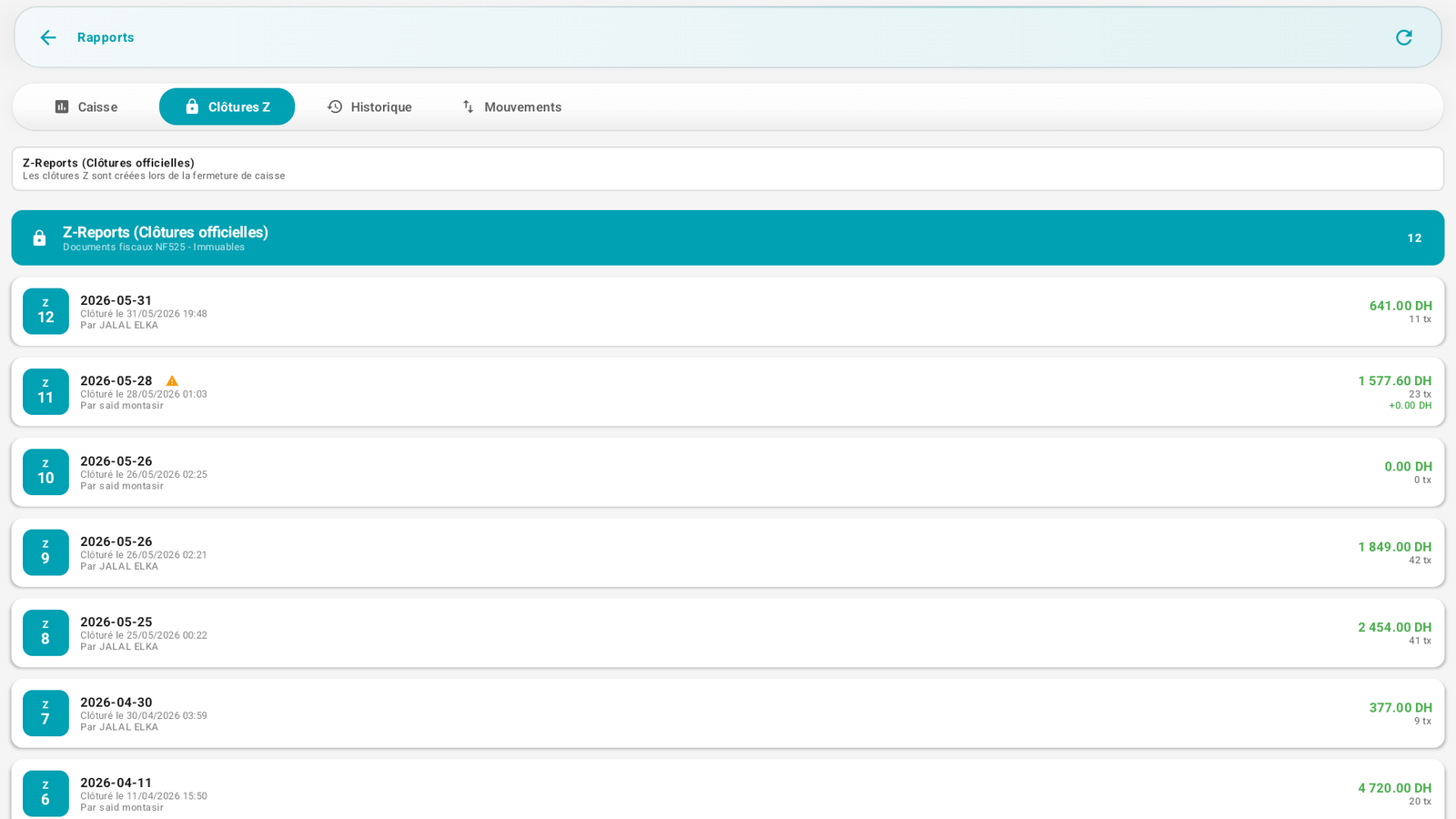
"Z closures are created when the register is closed." These are NF525 fiscal documents – Immutable. The list displays each past closure with its number, its date, its author, its revenue and its number of transactions.
By opening a closure, you obtain the full Z-REPORT:
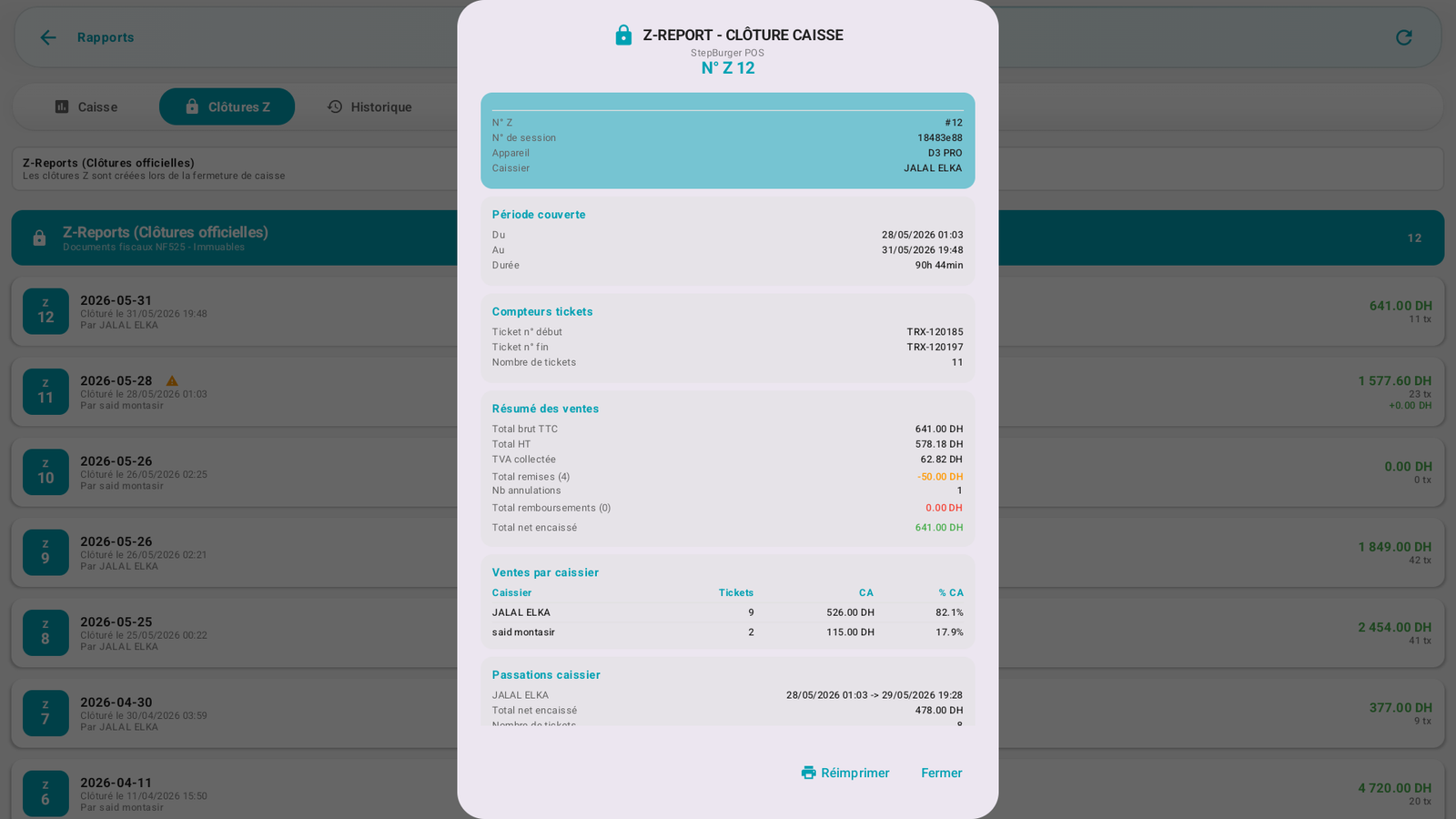
A Z contains in particular:
- Z no., session no., device, cashier;
- Period covered and duration;
- Receipt counters (start and end no., count) — the fiscal chain;
- Sales summary: gross incl. tax, excl. tax, VAT, discounts, voids, refunds, net collected;
- Sales by cashier and register handovers.
- Reprint action.
Messages & edge cases🔗
- The Z closure is final: once done, the period is locked and the receipt numbering restarts for the next period. It can neither be modified nor deleted (NF525).
- The receipt search at the register is limited to the open session; the receipts of closed days are viewable via their Z closure.
Tips🔗
- Run an X report before the closure to check that everything is consistent (counted cash vs theoretical).
- Only launch the Z closure once all sales are finished and the drawer counted.