C13. Audit log🔗
In brief🔗
The Audit log traces the sensitive actions and the register changes: sales, logins, session openings, refunds, etc. It is the traceability tool (NF525 compliance).
Who / when🔗
For the Admin (or an authorized employee), to check who did what and when — control, dispute, audit.
How to access🔗
Admin → Audit log.
Requirements🔗
🔑 View the audit log
Screen tour🔗
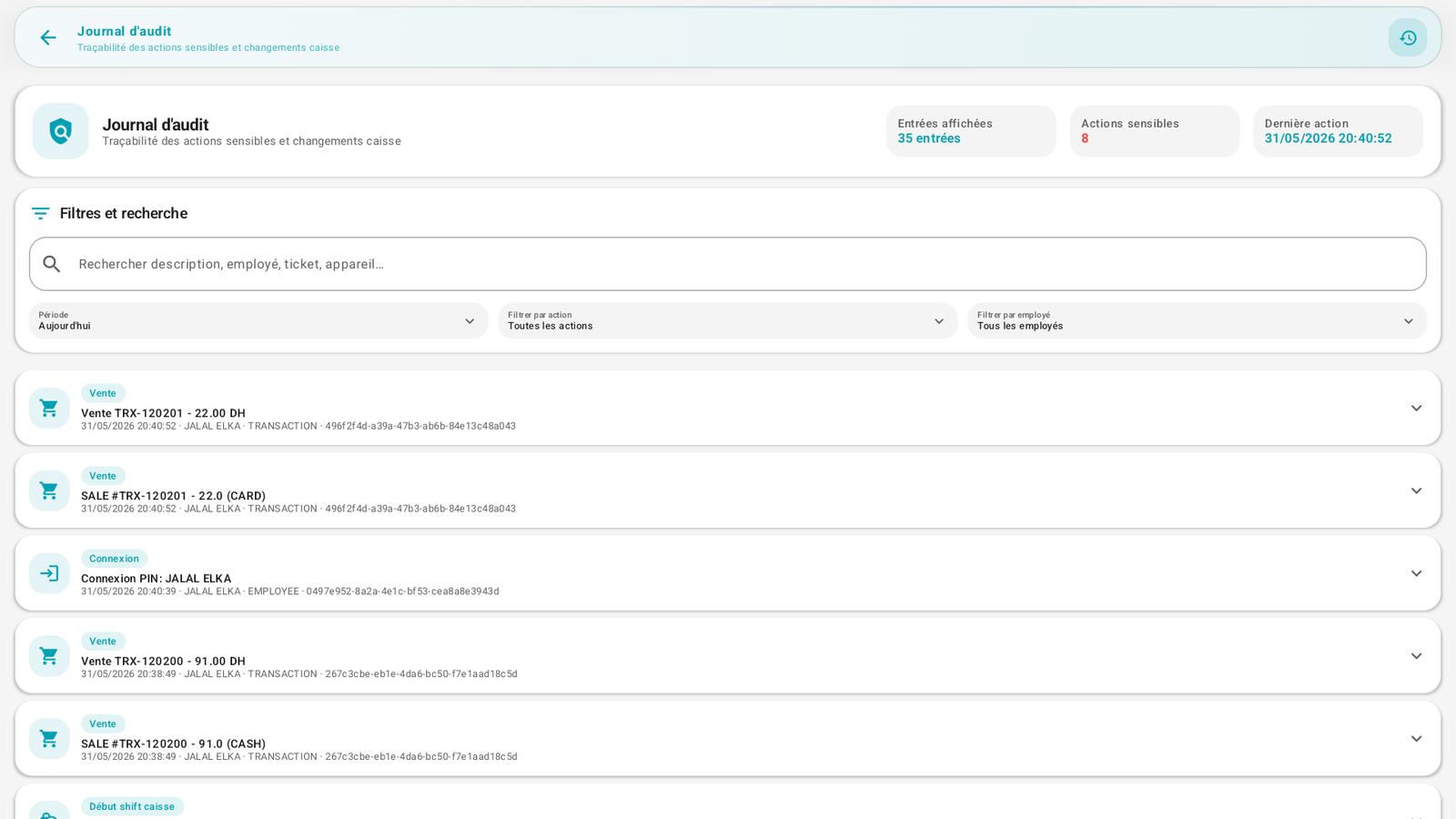
- Header: Traceability of sensitive actions and register changes, with counters (entries displayed, sensitive actions, last action).
- Filters and search: search field (description, employee, receipt, device), and Period, Action, Employee filters.
- List of entries: each line has a type (Sale, Login, Cash shift start…), a description, the timestamp, the employee, the reference (transaction/employee) and a fingerprint (hash) — the fiscal chain.
Examples of entries: Sale TRX-… 22.00 DH, SALE #TRX-… (CARD), PIN login: Demo admin, Cash shift start.
Step-by-step🔗
Search for an action🔗
- Type a term (employee name, receipt no.…) in the search, or use the filters (period, action, employee).
- Tap an entry to expand it and see its detail.
Messages & edge cases🔗
- The log is read-only: an entry can neither be modified nor deleted (integrity).
- The fingerprints (hash) chain the records: this is what guarantees that no action has been altered after the fact.
Tips🔗
- In case of a cash discrepancy or a dispute, the audit log cross-referenced with the reports lets you trace back to the exact action (who, when, how much).