C1. The Admin menu (overview)🔗
In brief🔗
The Admin menu is the dashboard for configuring and steering the register. It groups together, in the form of cards, all the administration screens.
Who / when🔗
For the Admin (or an authorized employee). Each card leads to a detailed screen in the following chapters.
How to access🔗
POS screen → Admin icon (shield) at the top right.
Screen tour🔗
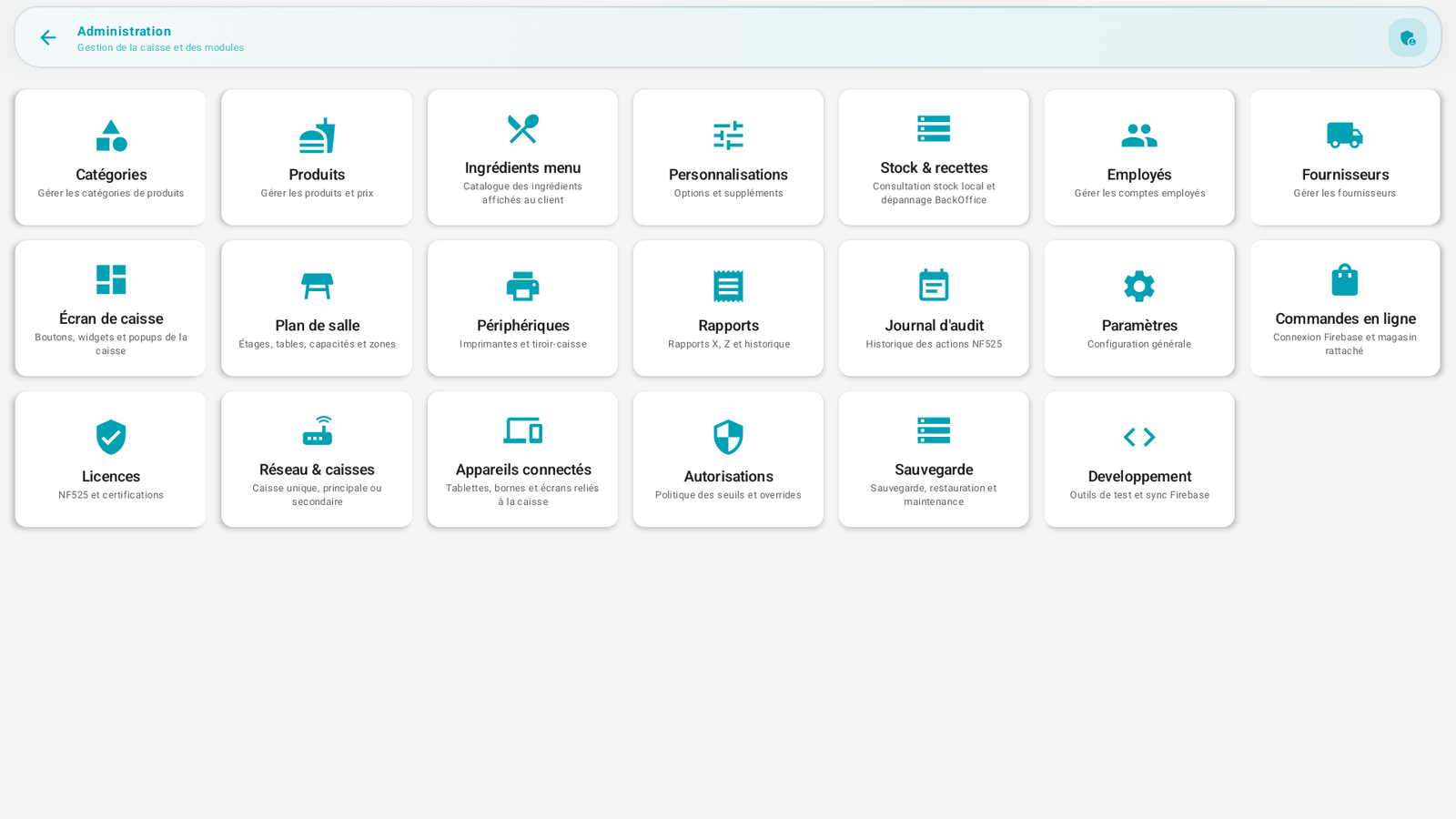
The cards are grouped by theme:
Catalog
| Card | Leads to | Chapter |
|---|---|---|
| Categories | Product families | Create your categories |
| Products | Items sold | Create your products |
| Menu ingredients | Labels displayed to the customer | Menu ingredients |
| Customizations | Options and add-ons | Customizations |
Operations
| Card | Leads to | Chapter |
|---|---|---|
| Stock & recipes | Stock consultation | Stock (read-only) |
| Employees | Employee accounts | Employees |
| Suppliers | Suppliers | Suppliers |
| POS screen | Layout editor | Configure the POS screen |
| Floor plan | Tables and areas | Configure the floor plan |
| Peripherals | Printers, drawer… | Configure the peripherals |
Steering & security
| Card | Leads to | Chapter |
|---|---|---|
| Reports | X, Z reports, history | Detailed reports |
| Audit log | NF525 traceability | Audit log |
| Settings | General configuration | Company settings / Advanced settings |
| Online orders | Online module connection | Online orders settings |
| Licenses | License, modules and limits | Licenses & modules |
| Network & registers | Single / multi-register | Multi-register & network |
| Connected devices | Tablets, kiosks, displays | Multi-register & network / Kiosk |
| Permissions | Thresholds and overrides | Permissions & roles |
| Backup | Backup and restore | Backup & restore |
Development card
A Development card (test tools) only appears in the development version of the application: it does not concern normal use.
Requirements🔗
🔑 Access to the Admin menu and to each card depends on the employee's permissions. An unauthorized screen displays "Access denied". See C12. Permissions & roles.
Tips🔗
- The logical installation order follows Part A; this chapter C and the following ones detail the day-to-day steering screens.