A4. Create your categories🔗
In brief🔗
The categories are the broad product families (Burgers, Tacos, Drinks, Desserts…). They organize your menu and serve to group the products in the sales screen. You create the categories before the products.
Who / when🔗
For the Admin (or an authorized employee), when building the menu, then at each addition/removal of a product family.
How to access🔗
Admin → Categories.
Requirements🔗
🔑 Manage categories
Screen tour🔗
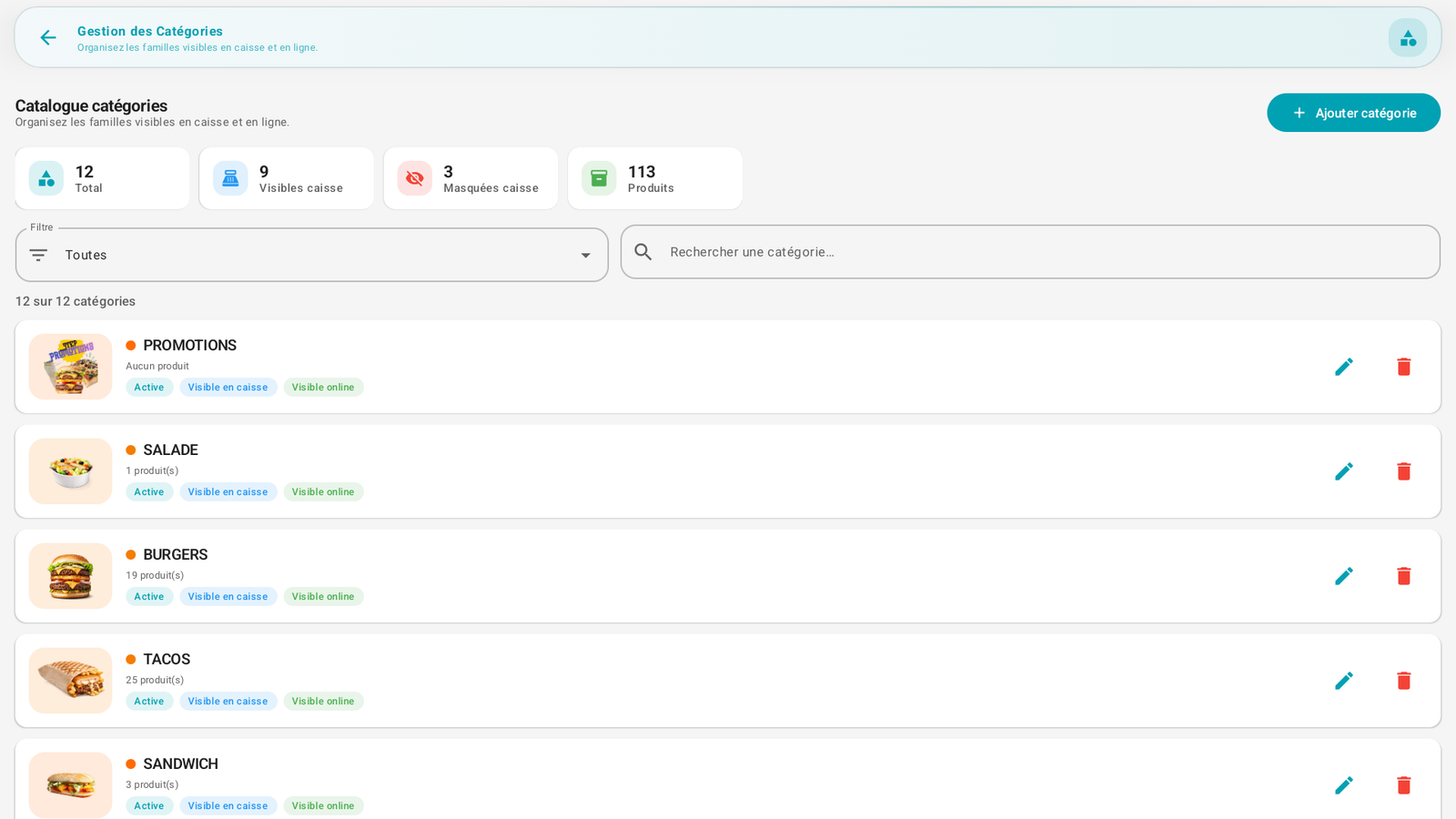
- Statistics banner at the top: Total number of categories, Visible on register, Hidden on register, and total number of Products.
- Filter ("All") and search bar to find a category.
- List of categories: each row displays the photo, the name, the number of products, and status badges:
- Active: the category is usable.
- Visible on register: it appears on the sales screen.
- Visible online: it appears in online ordering.
- To the right of each row: the pencil icon (edit) and the trash icon (delete).
- Top right: the + Add category button.
Step-by-step procedures🔗
Create a category🔗
- Open Admin → Categories.
- Tap + Add category.
- Enter the name (e.g. BURGERS).
- Optionally choose a photo and set the visibility options (on register / online) and the Active state.
- Save.
Edit a category🔗
- Tap the pencil icon on the relevant row.
- Edit the name, photo or visibility.
- Save.
Hide a category without deleting it🔗
- Uncheck Visible on register (it stays in the database but disappears from the sales screen). Handy for a seasonal family.
Delete a category🔗
- Tap the trash icon.
- Confirm.
Messages & edge cases🔗
- A category with no product displays "No product" (e.g. PROMOTIONS in the screenshot).
- Avoid deleting a category that still contains products: move/reassign its products first (see Create your products).
Tips🔗
- Think about the order and number of categories according to your sales screen: each category can become a tab of the product grid (see Configure the POS screen).
- The Visible on register / Visible online distinction allows having a different menu on site and online.