B1. Cashier login🔗
In brief🔗
Each cashier opens their day by logging in with their PIN code, then opening their cash session (with an opening float). This is what links each sale to the right person.
Who / when🔗
For the Cashier, at the start of every shift.
Step-by-step🔗
1. Select your profile🔗
At startup (or after the previous user logs out), the "Select your profile" screen displays the employees, grouped by role.
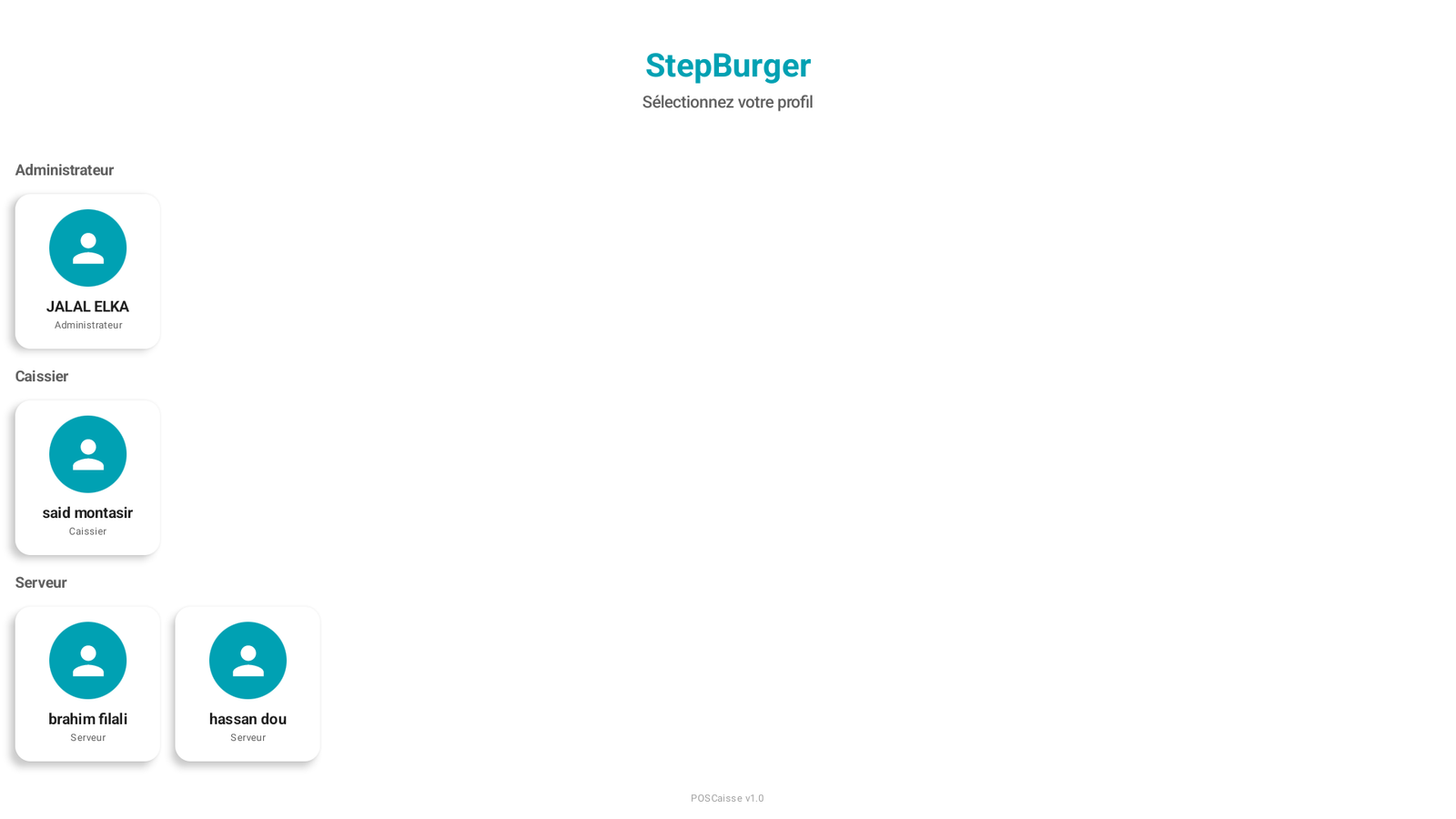
Tap your profile (e.g. Demo cashier, in the Cashier group).
2. Enter your PIN code🔗
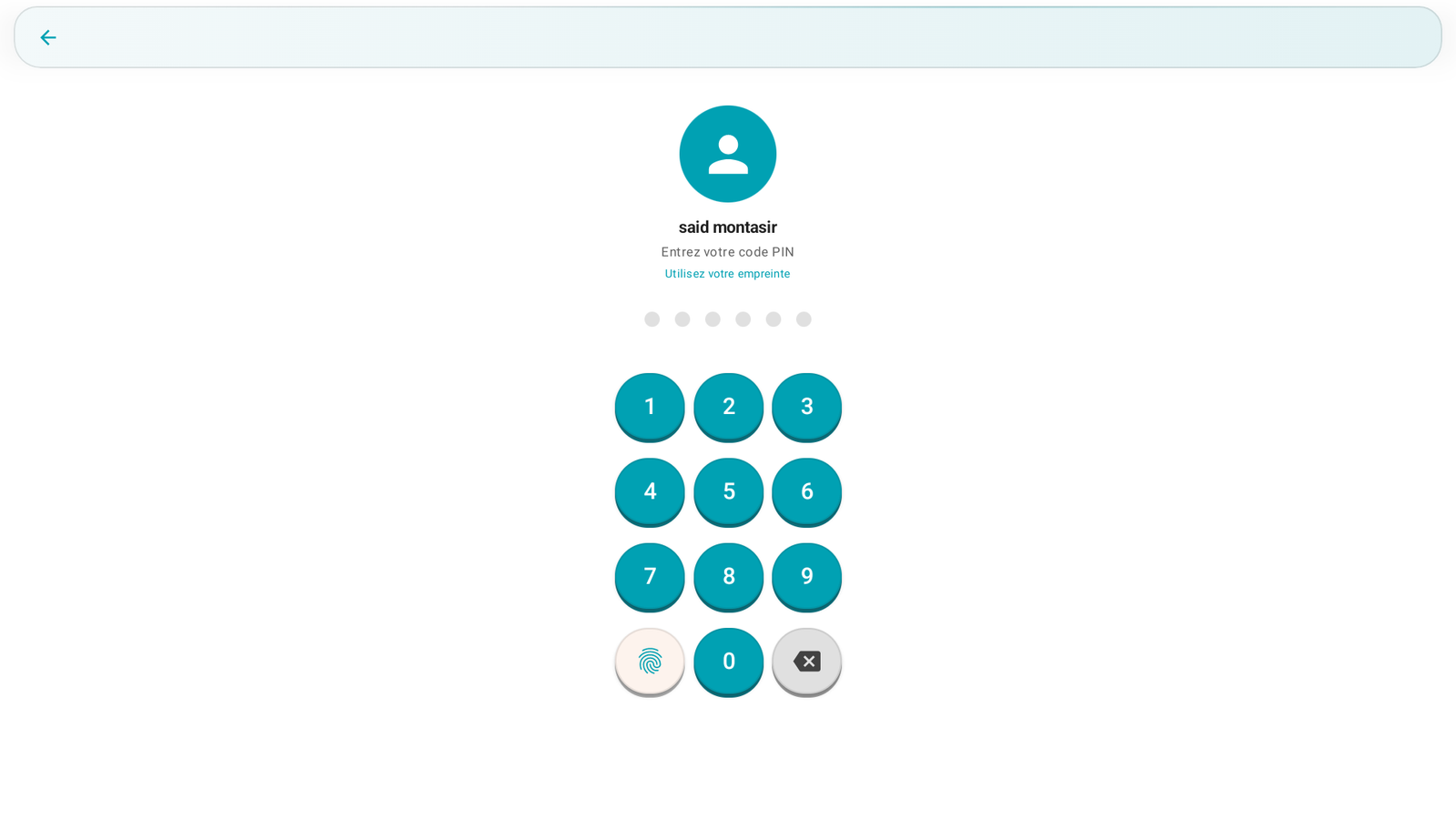
Enter your PIN code (4 to 6 digits) on the keypad. Depending on the configuration, you can also use a fingerprint or an NFC badge.
3. Open the cash session🔗
On the first login of the day, PosCaisse offers to open the drawer / start the session:
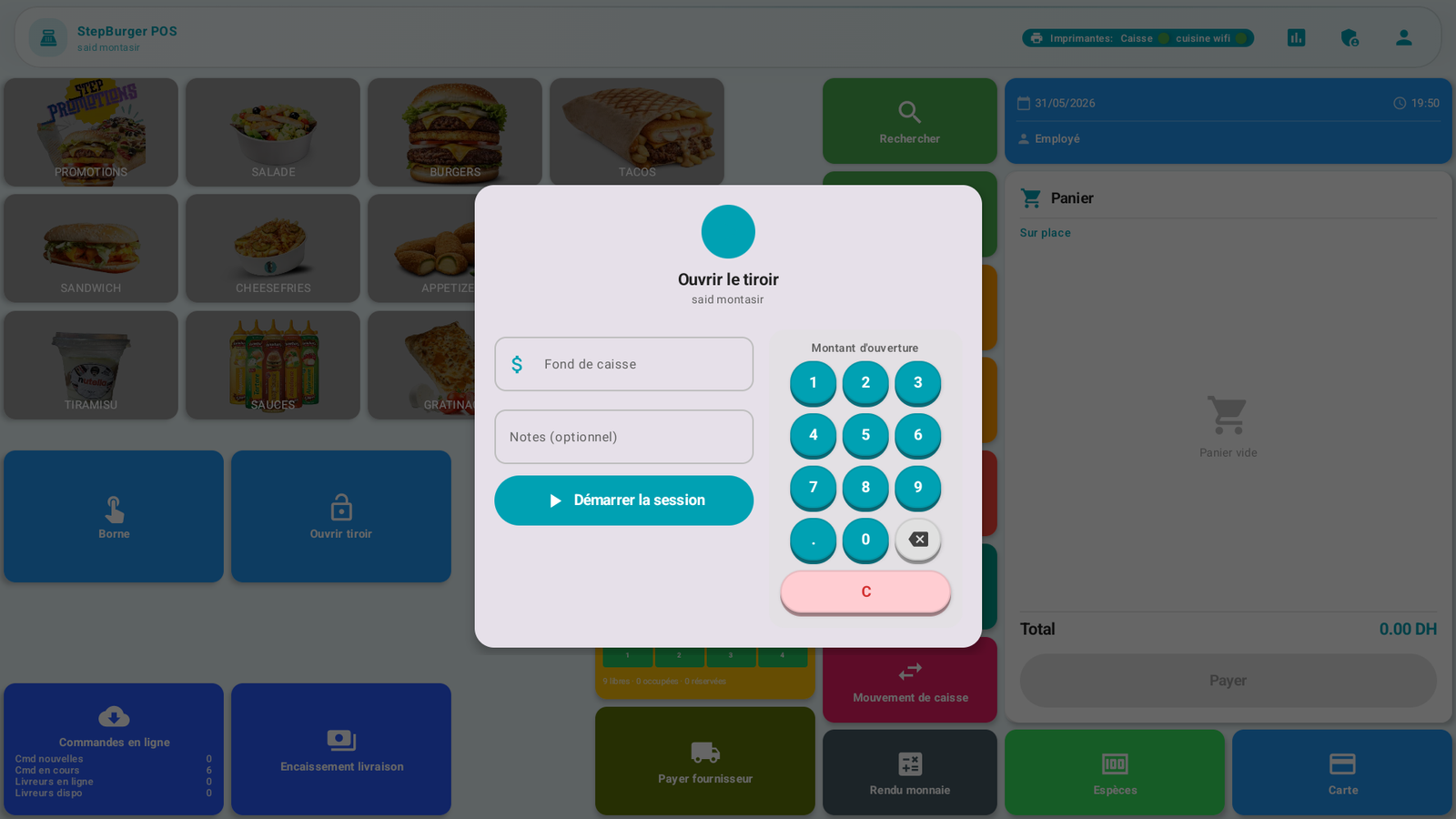
- Enter the opening float (the amount of cash in the drawer at the start of the shift).
- Add a note if needed.
- Tap Start the session.
You then arrive at the POS screen, ready to take payments.
Messages & edge cases🔗
- "Authentication failed": incorrect PIN code.
- The opening float serves as the reference for the cash check at the end of the shift (Z closure).
Tips🔗
- Always use your own PIN: all your sales, discounts and refunds are traced to your name (see C13. Audit log).
- Enter an accurate opening float: a wrong float distorts the discrepancy check at the end of the day.