B8. Cash drawer & cash movements🔗
In brief🔗
The register tracks the money in the drawer: session opening (opening float), cash ins/outs during the day (cash movements), supplier payment, and manual opening of the drawer. Everything is traced for the end-of-shift check.
Who / when🔗
For the Cashier, throughout the day.
Requirements🔗
🔑 Open the drawer · Cash in/out · Pay supplier (depending on the action)
Session opening (opening float)🔗
At the start of the shift, you start your cash session with the opening float:
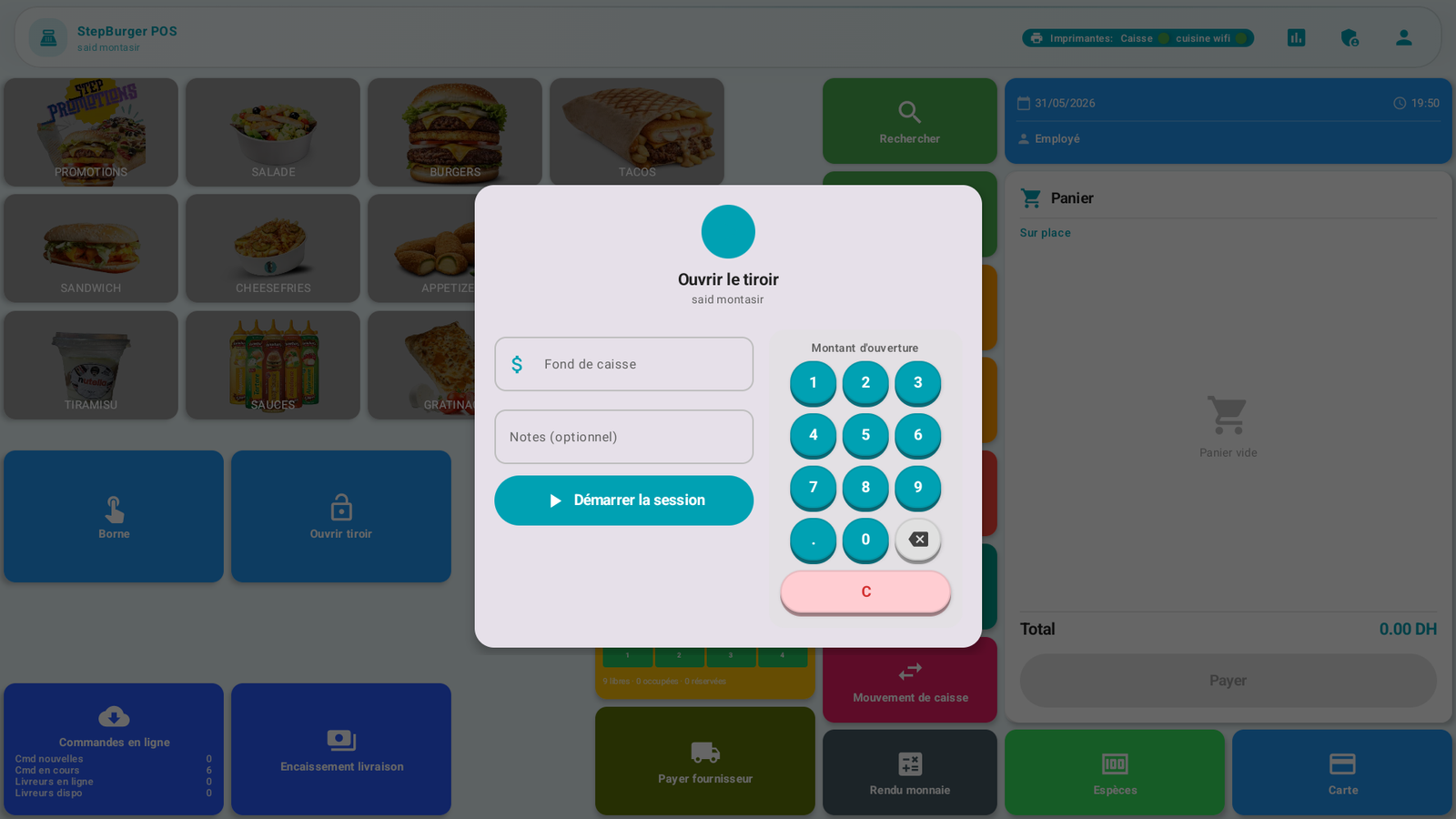
- Opening float: amount of cash in the drawer at the start.
- Notes (optional).
- Start the session.
This amount serves as the starting point for the discrepancy check at the Z closure.
Cash movements🔗
During the day, money can enter or leave the drawer outside of sales. The Cash movement widget records these operations:
- Cash in (cash contribution).
- Cash out (withdrawal, expense).
Each movement is time-stamped and traced, and appears in the Movements tab of the reports.
Pay a supplier🔗
The Pay supplier widget records a cash out to pay a supplier directly from the register (e.g. a bread delivery paid in cash). The amount is deducted from the drawer and traced.
Open the drawer manually🔗
The Open drawer widget opens the cash drawer without a sale (e.g. to make change). This action is traced and may require a permission.
Automatic opening
During a cash payment, the drawer opens automatically — no need for the Open drawer widget.
Messages & edge cases🔗
- Any opening of the drawer outside of a sale is recorded (security / audit).
- Cash movements influence the theoretical balance of the drawer compared to the actual count at the end of the shift.
Tips🔗
- Record immediately each cash out (supplier, expense): this is what prevents an unexplained discrepancy at closure.
- Count your float before opening the session, not after.
See also🔗
- B6. Take payment · B10. X / Z closure
- A8. Configure peripherals (cash drawer)