B8. Stock Consumption🔗
In short🔗
This screen is the business journal of stock outflows: every time a sale, an order, or a production run consumes ingredients, a consumption event is recorded here. It groups these outflows by source and shows whether the stock posting succeeded. This is where you check that your sales correctly drew down the right ingredients, and where you can retry an operation that failed.
Who / when🔗
For the manager or kitchen lead who wants to monitor automatic stock drawdown, understand a consumption, or fix an event left in error.
How to get there🔗
Kitchen & Recipes → Stock Consumption
Prerequisites🔗
🔑 View stock (Manage stock to retry a posting)
Screen tour🔗
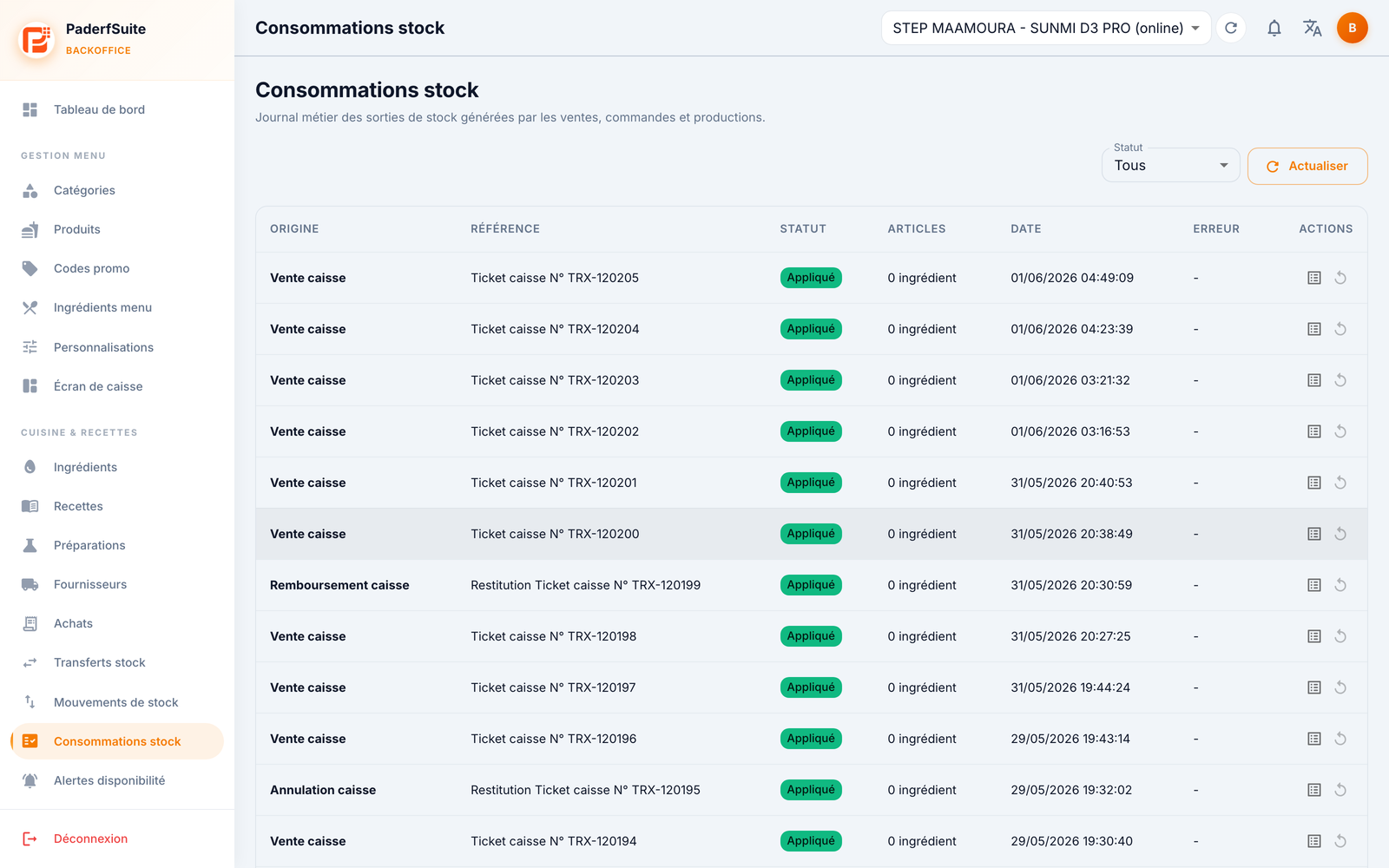
At the top, a status filter and a Refresh button.
The table lists consumption events with the following columns, in order:
- Source: what triggered the consumption (sale, order, production…).
- Reference: the source document (ticket number, order number…).
- Status: a chip indicating whether the stock posting succeeded or failed.
- Items: the number of lines consumed.
- Date: date and time of the event.
- Error: the error message, if any, when the posting failed.
- Actions: open the detail and retry.
Step-by-step🔗
View consumption details🔗
- Open the event from its Actions column.
- The detail dialog lists each consumed line:
- Ingredient involved.
- Quantity drawn out.
- Lot the quantity came from.
- Recipe source: the recipe that triggered the consumption.
- Cost of the line.
- Technical details complete the view for diagnostics.
Retry a posting left in error🔗
- Spot an event whose status signals a failure (and whose Error column is filled in).
- Launch the Retry stock posting action.
- The event is replayed: its status updates if it succeeds.
Messages & edge cases🔗
- An event in error means the stock outflow couldn't be applied (for example, a missing ingredient or lot). Fix the cause, then use Retry stock posting.
- Use the status filter to quickly isolate failed events.
Tips🔗
- Click Refresh after a busy period to see the latest recorded consumptions.
- If a sale didn't draw down stock as expected, first check the source recipe here, then the setup in B2. Recipes.