A5. Customizations🔗
In short🔗
Customizations define the choices offered to the customer at order time: paid supplements, removable ingredients, options (cooking, size…), and suggested products. You organize them into sections, either for a whole category or for a specific product.
Who / when🔗
For the manager who wants to enrich a sale: add a cheese supplement, allow an ingredient to be removed, suggest a drink on the side, or require a cooking choice.
How to get there🔗
Menu Management → Customizations
Prerequisites🔗
🔑 Manage products
Screen tour🔗
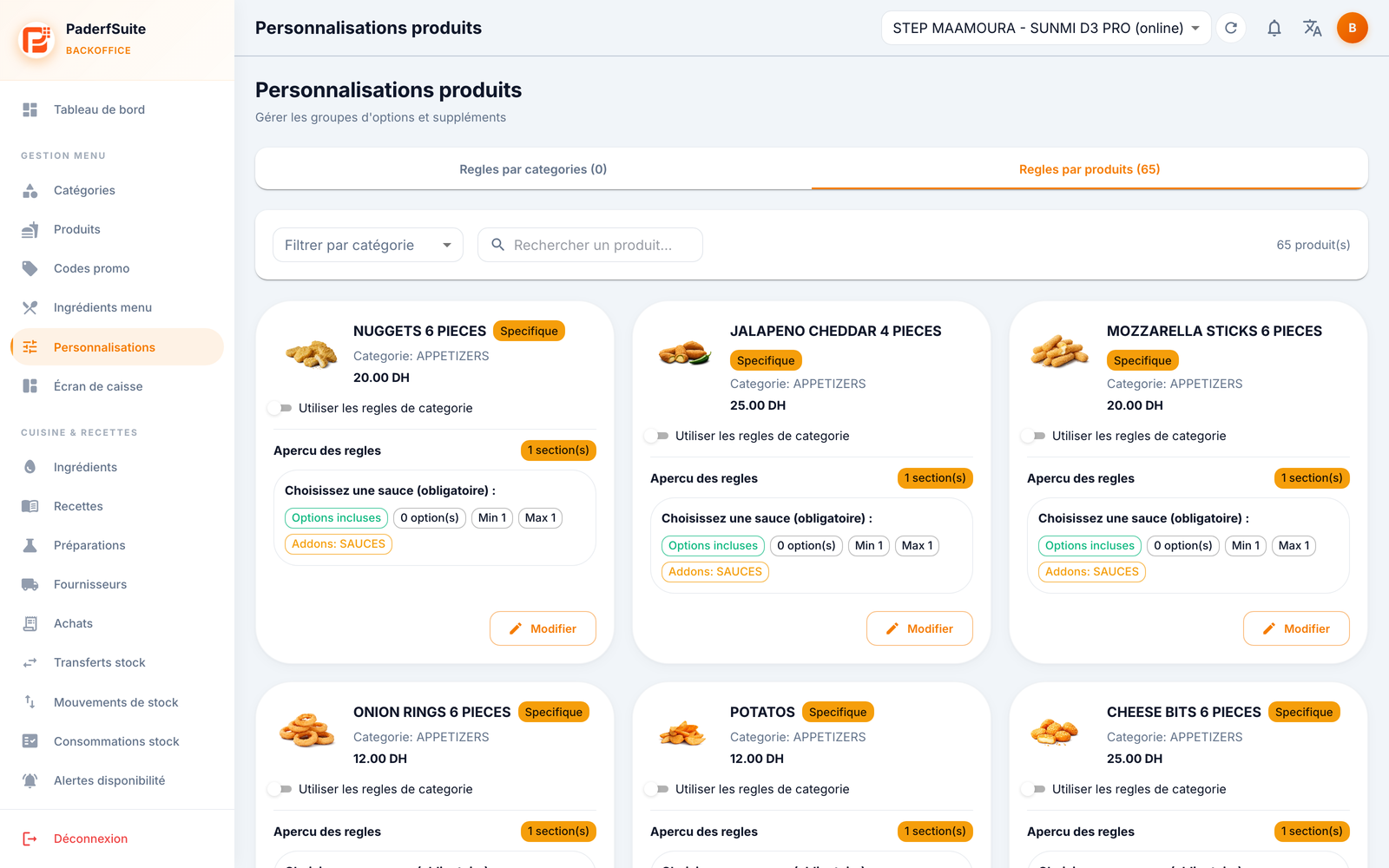
The screen has two tabs:
- Category rules: defines a common base applied to all products that inherit their category's rules. Badges summarize the number of configured categories and sections. The Add a rule button creates a category rule.
- Product rules: one card per product, with a Specific, Inherited, or To configure badge, and a Use category rules toggle.
Each card groups the sections: Included, Paid supplements, Removable ingredients, and Suggested products.
Step-by-step procedures🔗
Configure a category's rules🔗
- On the Category rules tab, click Add a rule (or open an existing card).
- In the dialog, add sections and set their order.
- For each section (sub-dialog), fill in:
- Title and Title (Arabic)
- Section Type
- Display: checkboxes or single choice (radio)
- min / max allowed options
- the add-on category or source products
- the non-removable ingredients
- the options
- For each option (sub-dialog): name and Arabic name, image, price, maximum quantity, default and available toggles.
- Save.
Configure a product's rules🔗
- On the Product rules tab, open the product's card.
- To use its category's base, turn on Use category rules (the card shows Inherited).
- For its own rules, turn off this toggle and configure the sections as above (the card shows Specific).
Messages & edge cases🔗
- To configure flags a product whose customizations are not yet defined.
- Inherited: the product follows its category's rules; any change to the category cascades. Specific: the product has its own, independent rules.
- Paid supplements and removable ingredients rely on the menu ingredients and add-on categories defined elsewhere.
Tips🔗
- Configure at the category level first for common settings, then refine only the products that are exceptions in Specific.
- The min / max per section let you require a mandatory choice (min 1) or limit the number of supplements.