
Before you start
Access to Menu management → Categories and restaurant catalogue editing permissions.
 Enlarge screenshot
Steps to follow
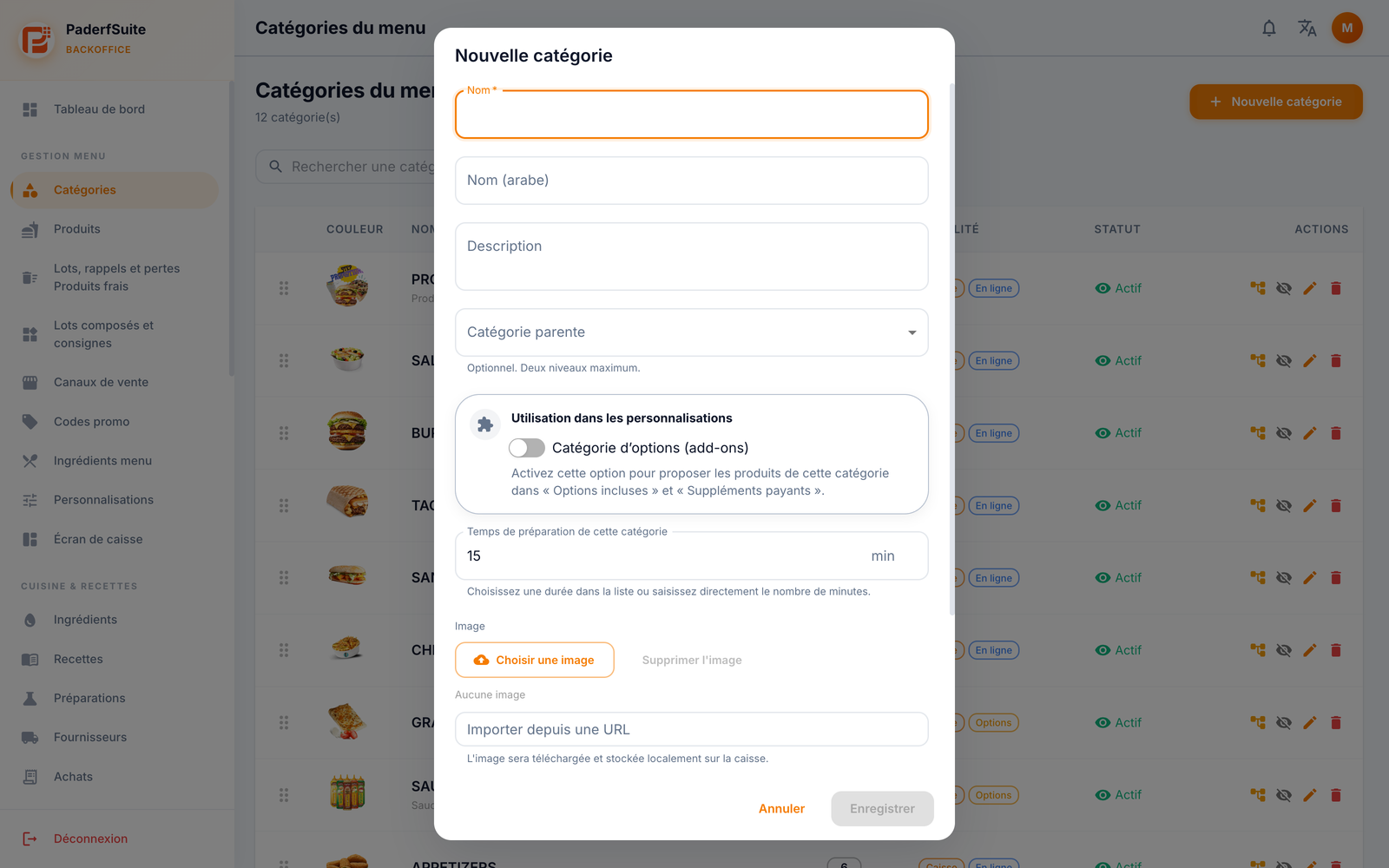
- Select New category (Nouvelle catégorie) and enter its name. Add the Arabic name and description when needed.
- To create a subcategory, select a parent category. The hierarchy supports at most two levels.
- Enable Options category only when its products should appear as included options or paid extras. Also check the preparation time.
- Add a clear image and scroll through the form to check colour, active status, till visibility, online visibility and kitchen printing.
- Save when the fields are valid, then search for the category and check its statuses. Cancel (Annuler) exits without creating a category.
What to remember
Till and online visibility are independent settings. Check both before offering products from this category to your customers.