
Before you start
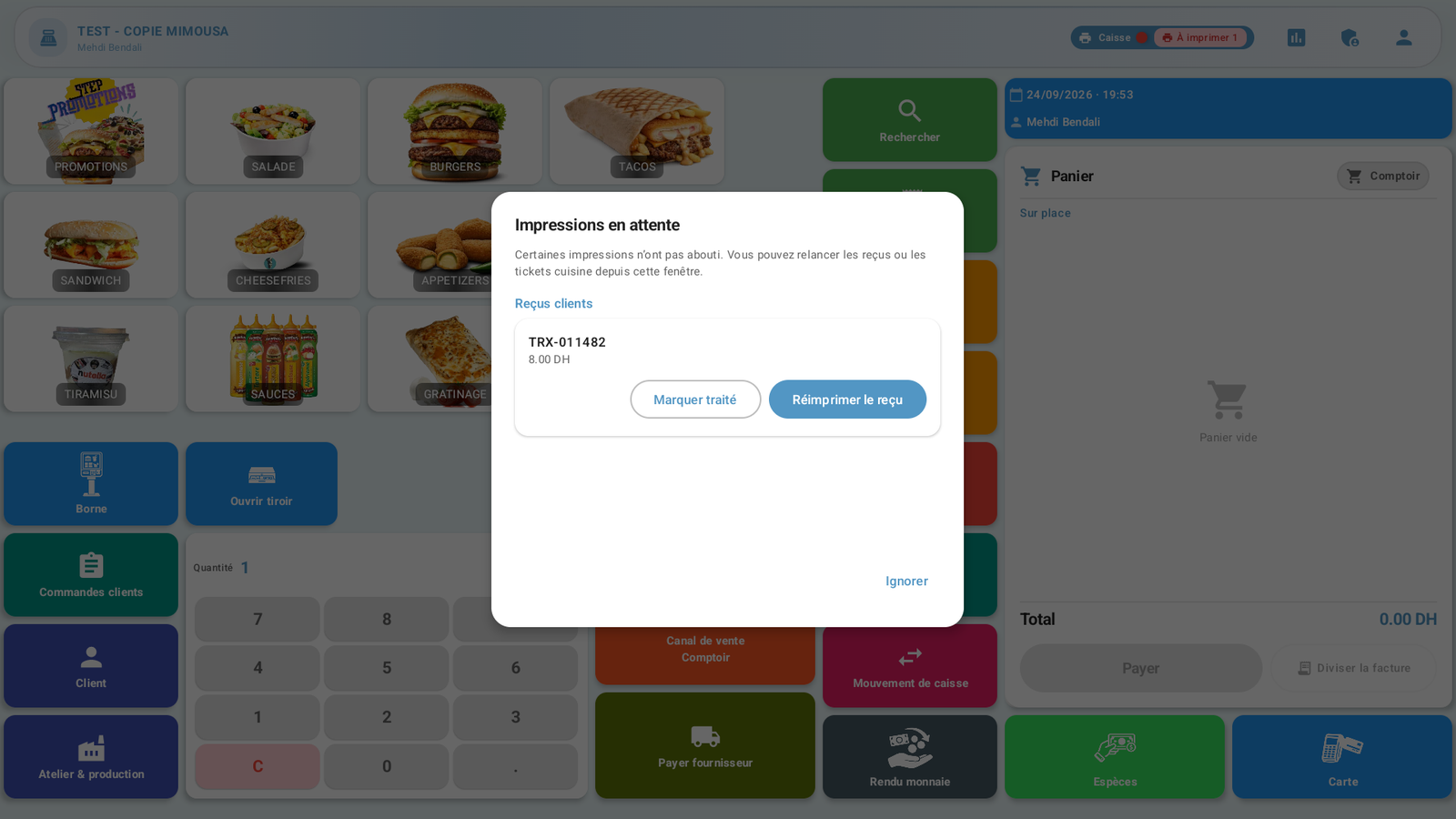
A confirmed transaction with a failed print and authorized access to the till.
 Enlarge screenshot
Steps to follow
- Note the confirmed transaction reference. In this example, TRX-011482 was saved despite the printer error.
 Enlarge screenshot
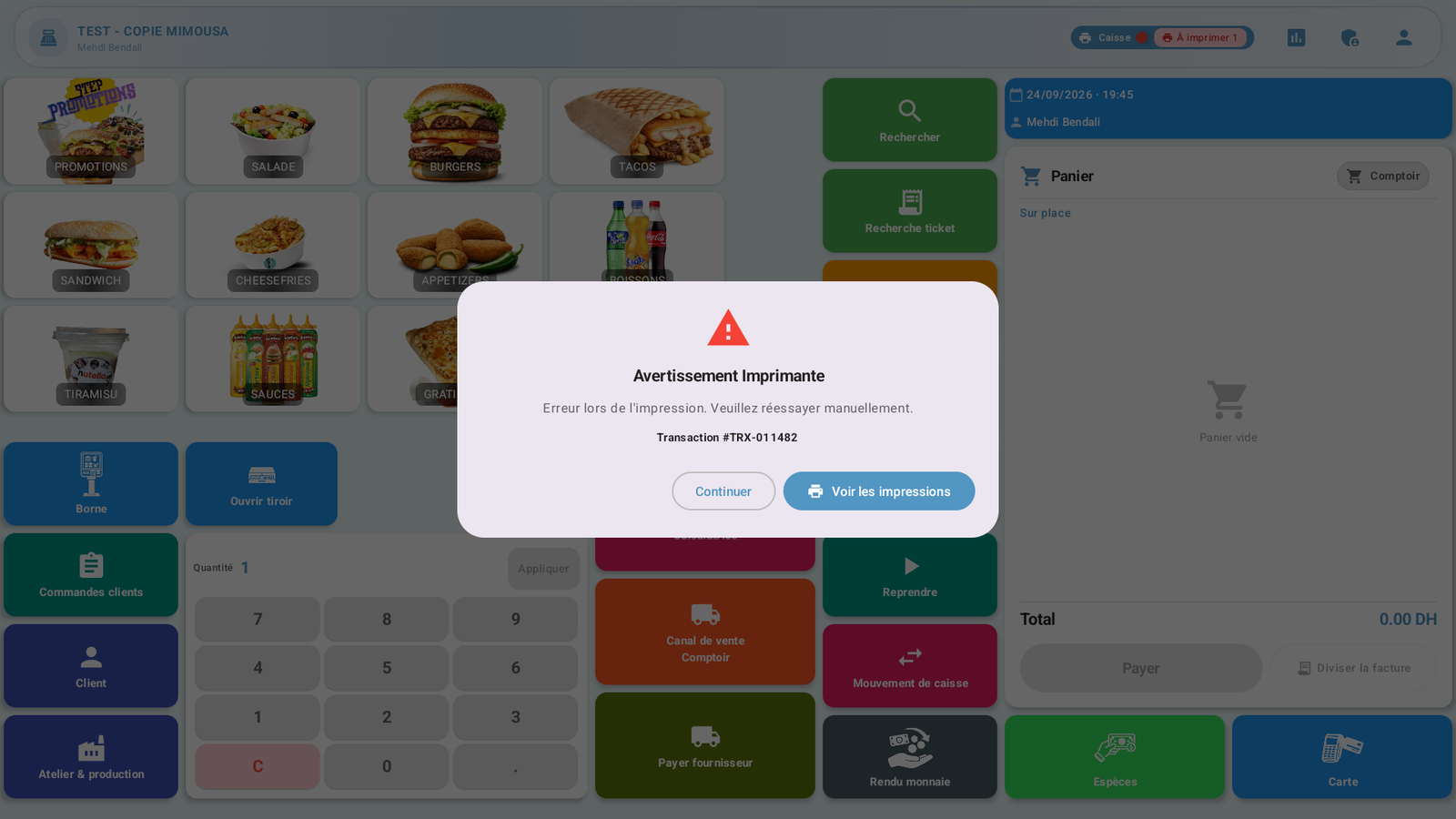
Actual screenshot · French interface · September 2026 · 1920 × 1080 - When Pending prints (Impressions en attente) appears at login, identify the receipt by its reference and amount.
- Check printer power, paper and connection. Select Retry receipt (Réessayer reçu) when the printer is ready.
- If the issue remains, Ignore (Ignorer) lets you continue without claiming the receipt was printed. Use Mark handled (Marquer traité) only after verifying that the receipt has actually been handled.
What to remember
The print queue does not create a new sale. Do not repeat payment to obtain a receipt. The demonstration receipt remained pending because the printer was unavailable.