
Before you start
Sign in with an account allowed to view Licence & Modules.
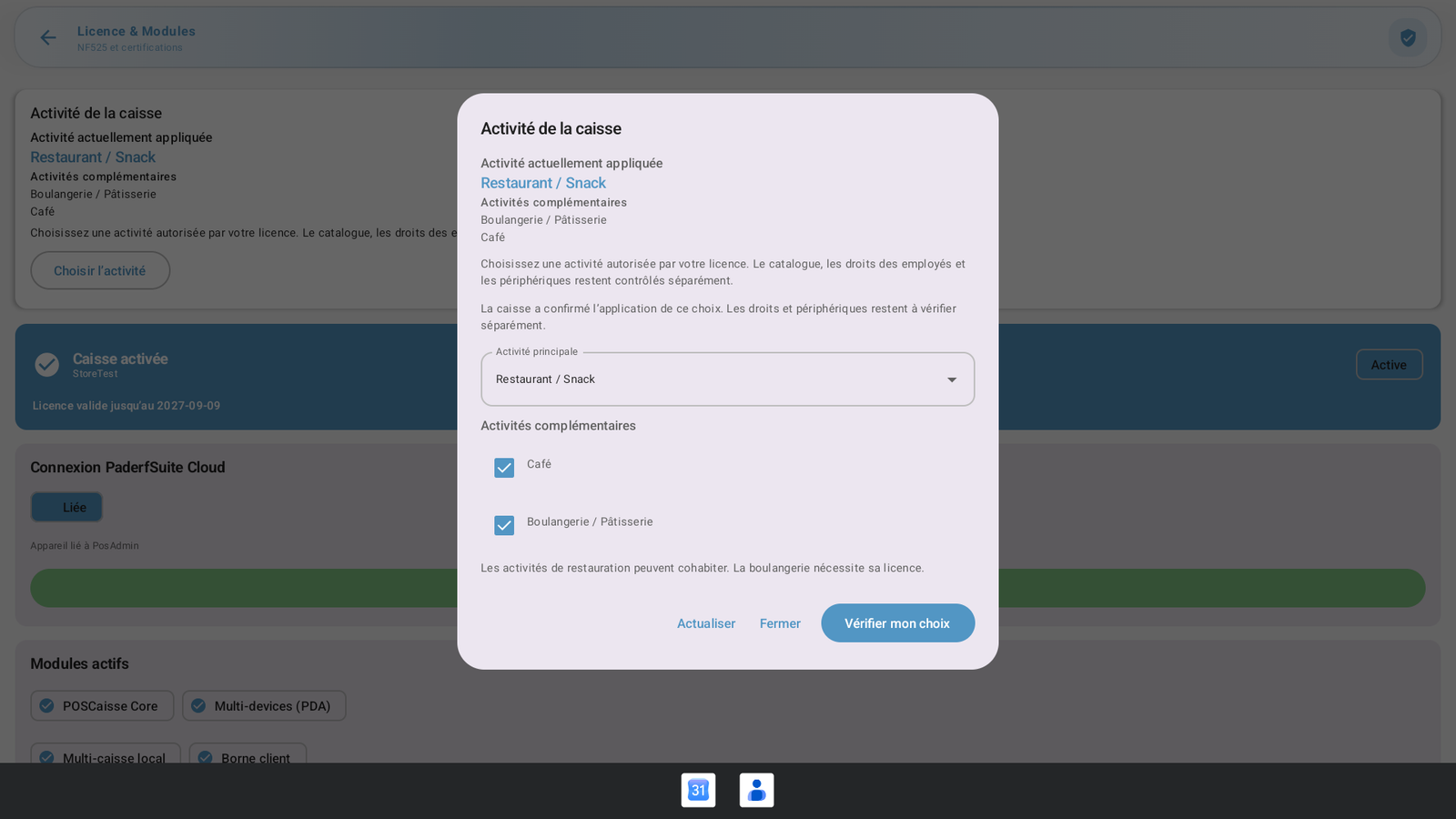 Enlarge screenshot
Steps to follow
- Open Administration, then Settings & data and Licences.
- Under Register activity, check the currently applied activity and any additional activities.
- Open Choose activity to view the saved selection. Close leaves without saving.
- The main activities are Restaurant / Snack bar, Café, Bakery / Pastry shop, General retail, Clothing and footwear, and Food retail. Food retail includes Grocery store, Convenience store and Supermarket.
What to remember
Restaurant, Café and Bakery can coexist when licensed. Bakery requires BAKERY; retail activities require RETAIL_CORE, and Food retail also requires MARKET. Preparing a request does not apply it immediately: the register checks ongoing operations before confirmation and restart. Employee permissions remain separate. Hotel is still in development; NF525 certification has not been obtained.