
Before you start
An open till session, sales permissions and an available product. This example uses the Restaurant / Snack profile.
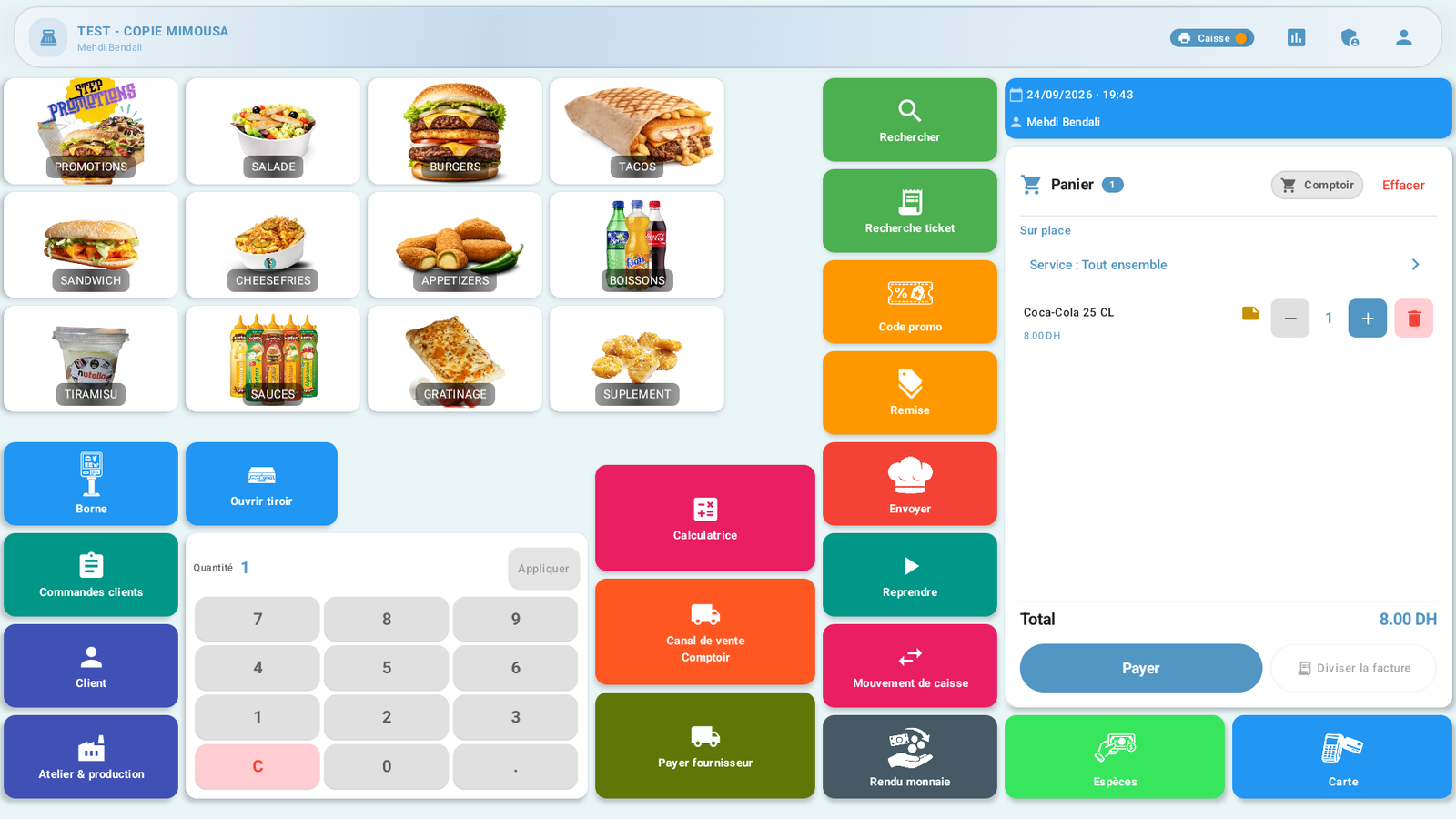 Enlarge screenshot
Steps to follow
- Select the category and then the product. Check the quantity and tap View basket (Voir le panier) to return to the sale.
- Check the items and total before selecting Cash (Espèces). The drink in this demonstration costs DH 8.
- Enter the amount actually received or use a quick amount button. With DH 20 received for a DH 8 sale, the till shows DH 12 change.
 Enlarge screenshot
Actual screenshot · French interface · September 2026 · 1920 × 1080 - Tap Confirm payment (Confirmer le paiement), then select the requested order type, such as Takeaway (À emporter). Wait for processing to finish.
 Enlarge screenshot
Actual screenshot · French interface · September 2026 · 1920 × 1080 - Check the confirmation and transaction reference before giving change and serving the next customer.
What to remember
A printing error can occur after payment has been saved. If the transaction is confirmed, recover its receipt from pending prints; do not take the payment again. Card, split payment and returns use separate procedures.