
Before you start
An applied retail profile, RETAIL_CORE and catalogue management permissions. This flow creates a simple product; sizes and colours belong in the detailed catalogue.
 Enlarge screenshot
Steps to follow
- Open Administration → Stock & trades (Stock & métiers) → My shop (Mon commerce), then My products (Mes produits) and Create product (Créer le produit).
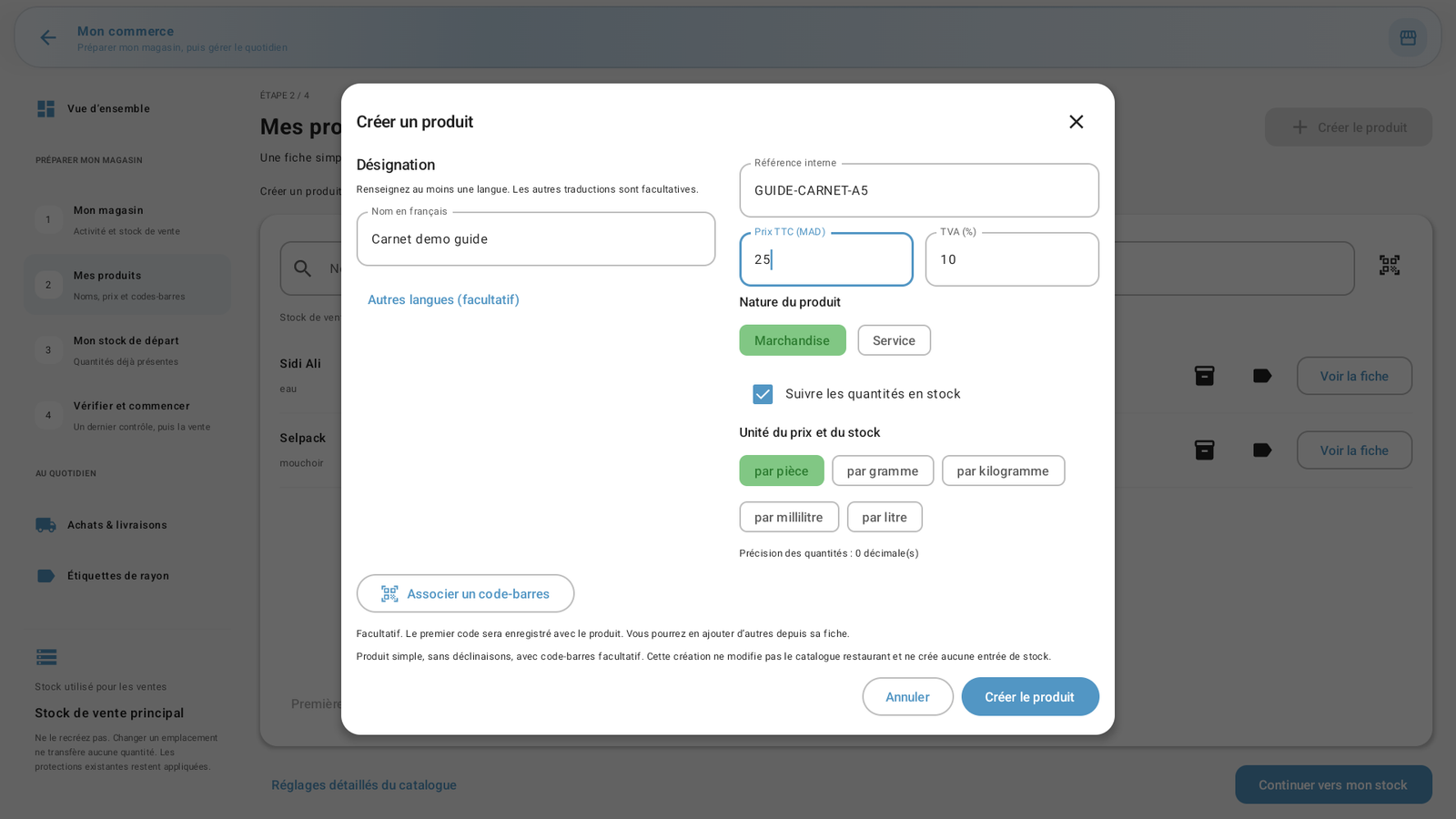
- Enter at least one name and a unique internal reference. Other languages and the first barcode are optional.
- Enter the tax-inclusive price and check the VAT rate applicable to the item. Select Goods (Marchandise) or Service and the appropriate quantity tracking.
- Choose the price and stock unit: piece, gram, kilogram, millilitre or litre. Close the keyboard to review the values, then tap Create product.
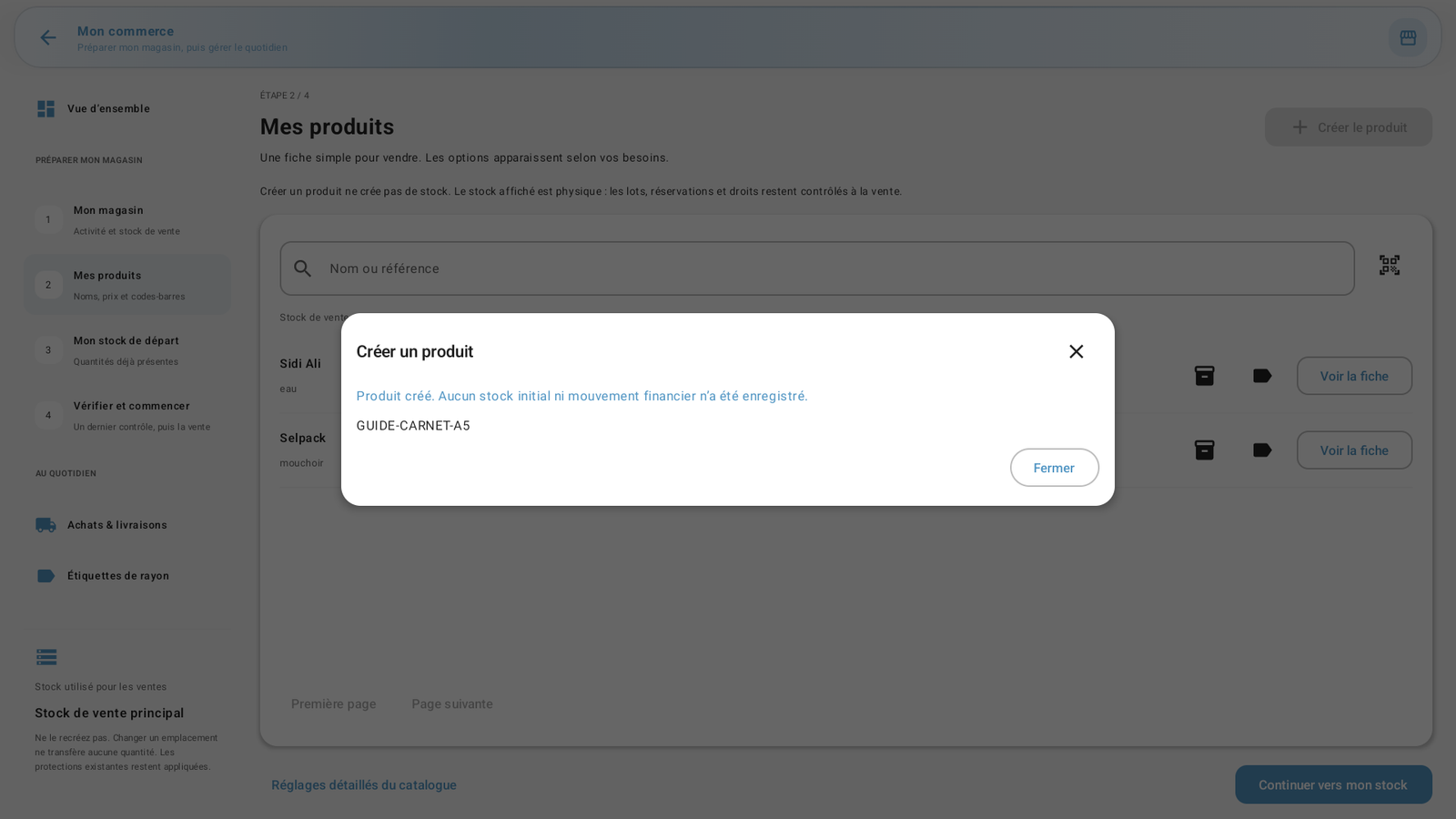
- Wait for confirmation, close it and find the product in My products. Enter opening stock afterwards if you track quantities.
 Enlarge screenshot
Actual screenshot · French interface · September 2026 · 1920 × 1080
What to remember
The example creates Carnet demo guide, reference GUIDE-CARNET-A5, priced at MAD 25 per piece. Demonstration values are not recommended settings. Creating the product alone adds no stock and records no financial movement.