
Before you start
Closing permissions and an open session. Complete or resolve ongoing operations flagged by the till.
 Enlarge screenshot
Steps to follow
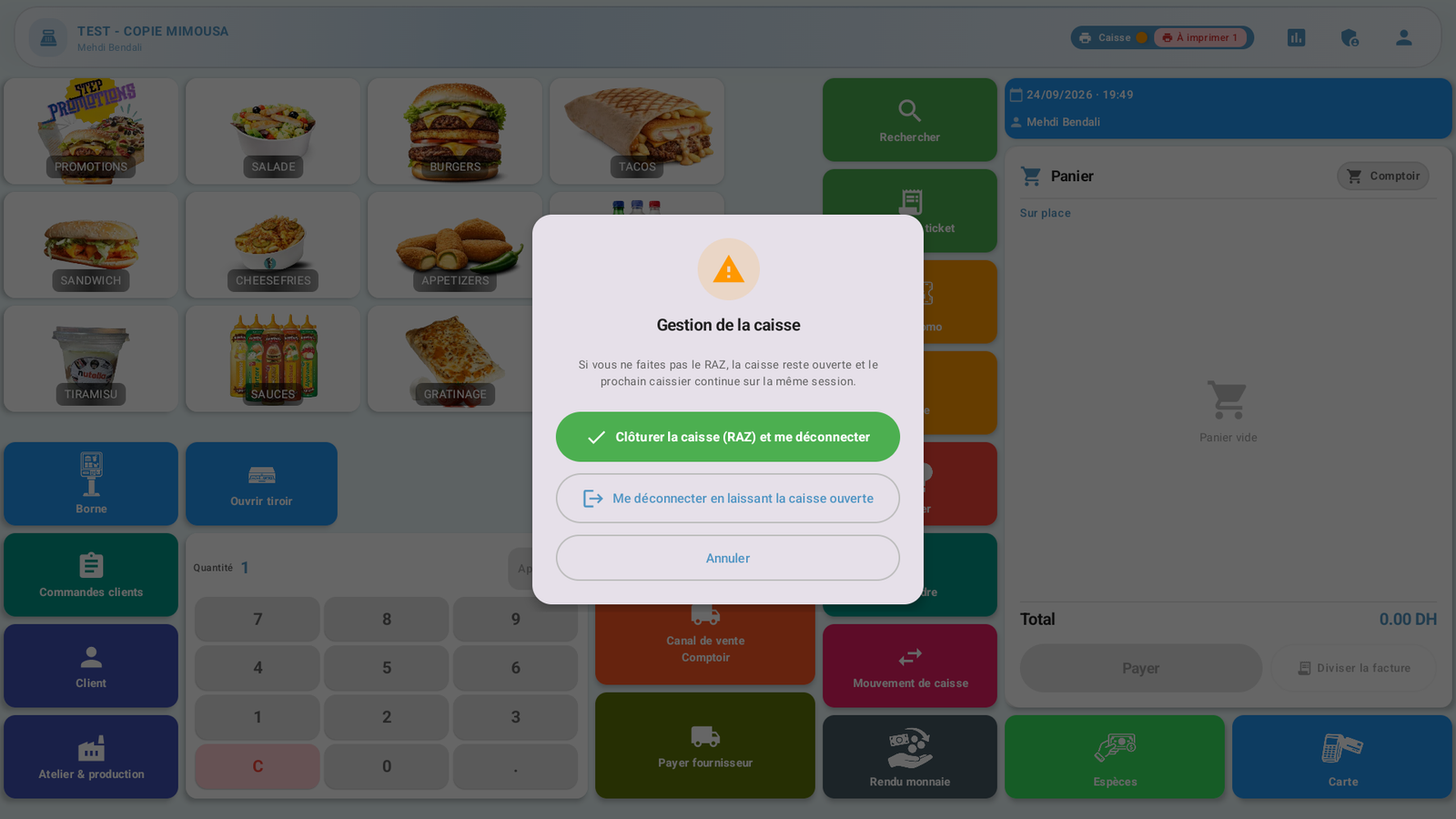
- On the sales toolbar, open Profile (Profil), then Log out (Déconnexion).
- Select Close till (RAZ) and log me out (Clôturer la caisse (RAZ) et me déconnecter). Logging out alone does not close the session.
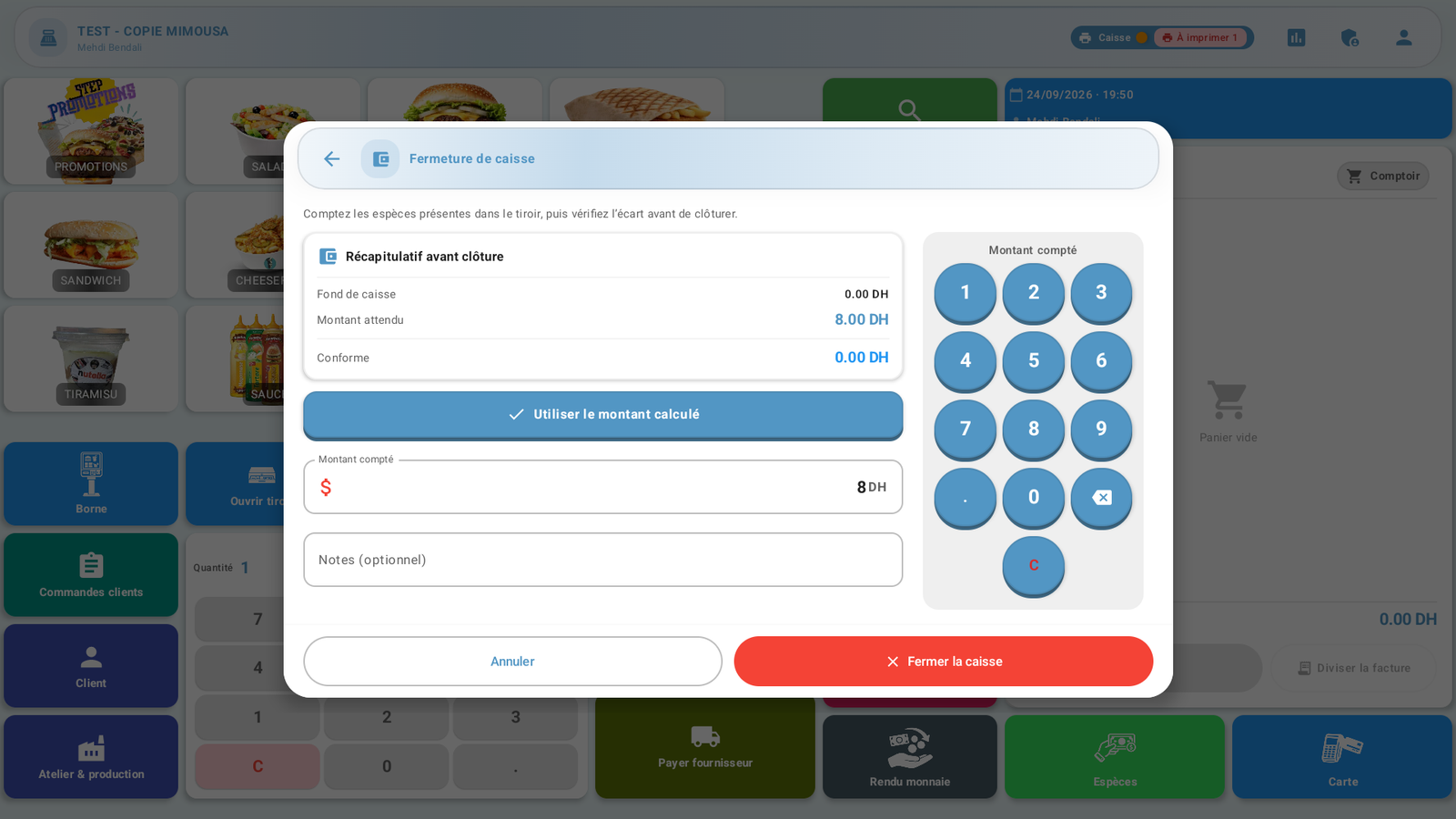
- Count the cash actually present and enter that amount. Check the expected amount and displayed difference; correct any input error before confirming.
 Enlarge screenshot
Actual screenshot · French interface · September 2026 · 1920 × 1080 - Confirm closure and wait until the user selection screen returns. Do not repeat the action while it is processing.
What to remember
This example closes a session with DH 8 expected, DH 8 counted and no difference. Closing ends the session without deleting its history. Viewing a report alone does not close it.