
Before you start
An administrator account, required modules and a recent backup. Schedule this change outside service after resolving ongoing operations.
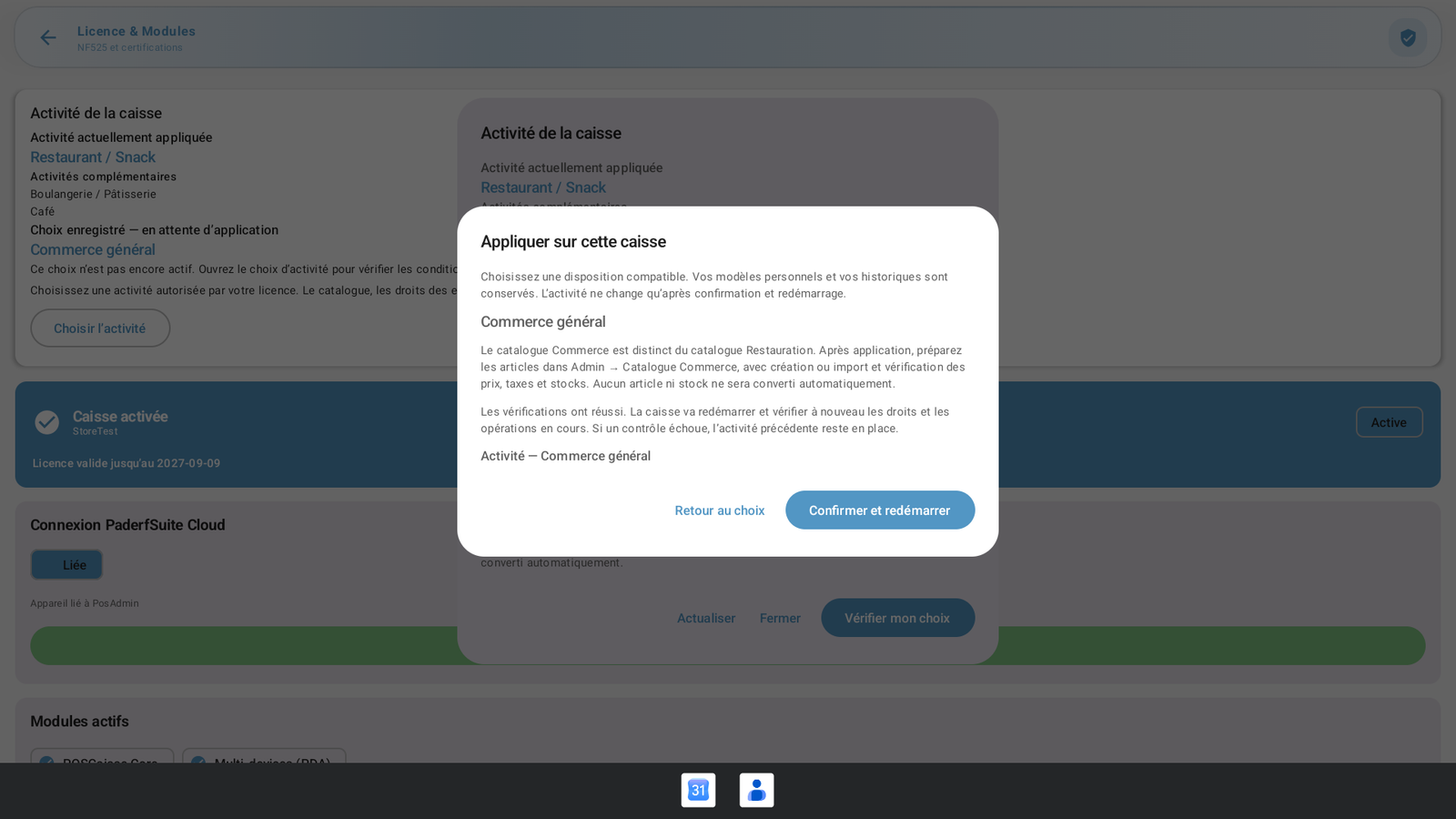 Enlarge screenshot
Steps to follow
- Open Administration → Settings & data (Réglages & données) → Licences, then Choose activity (Choisir l’activité). Select the main activity and its permitted additions or variant.
- Save the request, then open Apply to this till (Appliquer sur cette caisse). A saved request is not yet the active profile.
- Choose a compatible layout and run Check before applying (Vérifier avant application). If a session is open, return and close it normally. Resolve any other displayed blockers.
- Review the summary, then select Confirm and restart (Confirmer et redémarrer). Wait for the post-restart confirmation and sign in again.
- Check the applied activity and Administration menu. When no session is open, the Administration button in the opening dialog provides access to settings.
What to remember
Changing from Restaurant / Snack to General retail was verified on the demonstration till. The retail catalogue is separate from the restaurant catalogue. A profile change must not be treated as automatic product or stock conversion.